
Retailr
Turning B2B Buying
into a visual, AI-supported,
data-driven Workflow
Retailr is a conceptual platform that helps fashion retailers plan, buy and trade product using live data instead of static seasonal spreadsheets. As Lead Product Designer at MindArc, I created the investor-facing concept, combining product vision, interaction model and UI direction into a story the founders could use with potential partners and investors.
Results (client-reported):
68% less time building assortment plans · 50% less time writing orders · 70% less time running reports and analysis
Source: Retailr internal reporting (method not provided).
Role
Product Designer (UX/UI)
Client
Retailr (MindArc)
Contributors
1 Product Owner (Retailr) & 1 Product Designer(Me) & 1 Tech Consultant
Timeframe
Feb 2023 - May 2023
Services
Product Design (UX/UI)
Design Strategy
User Flow Mapping
Rapid Prototyping
Context
Traditional retail buying relies on seasonal range plans, spreadsheets and intuition. Teams work across disconnected tools for product, sales, inventory and customer data, which makes it slow to build a full picture and hard to adjust when performance shifts.
For the founders, the challenge was turning this into a clear and believable product story. They needed a way to show how Retailr could replace manual spreadsheets with a visual, end-to-end workflow for discovery, range planning, assortment allocation, and purchase order creation, supported by live product and sales data.

Fashion buyer reviewing apparel listings
Challenges &
constrains
1) Multi-system reality, one coherent story
Retail buying spans sourcing, planning, allocation, PO, invoicing, and inventory updates across supplier, retailer, and accounting systems. The challenge was keeping the concept narrative simple without losing operational credibility.
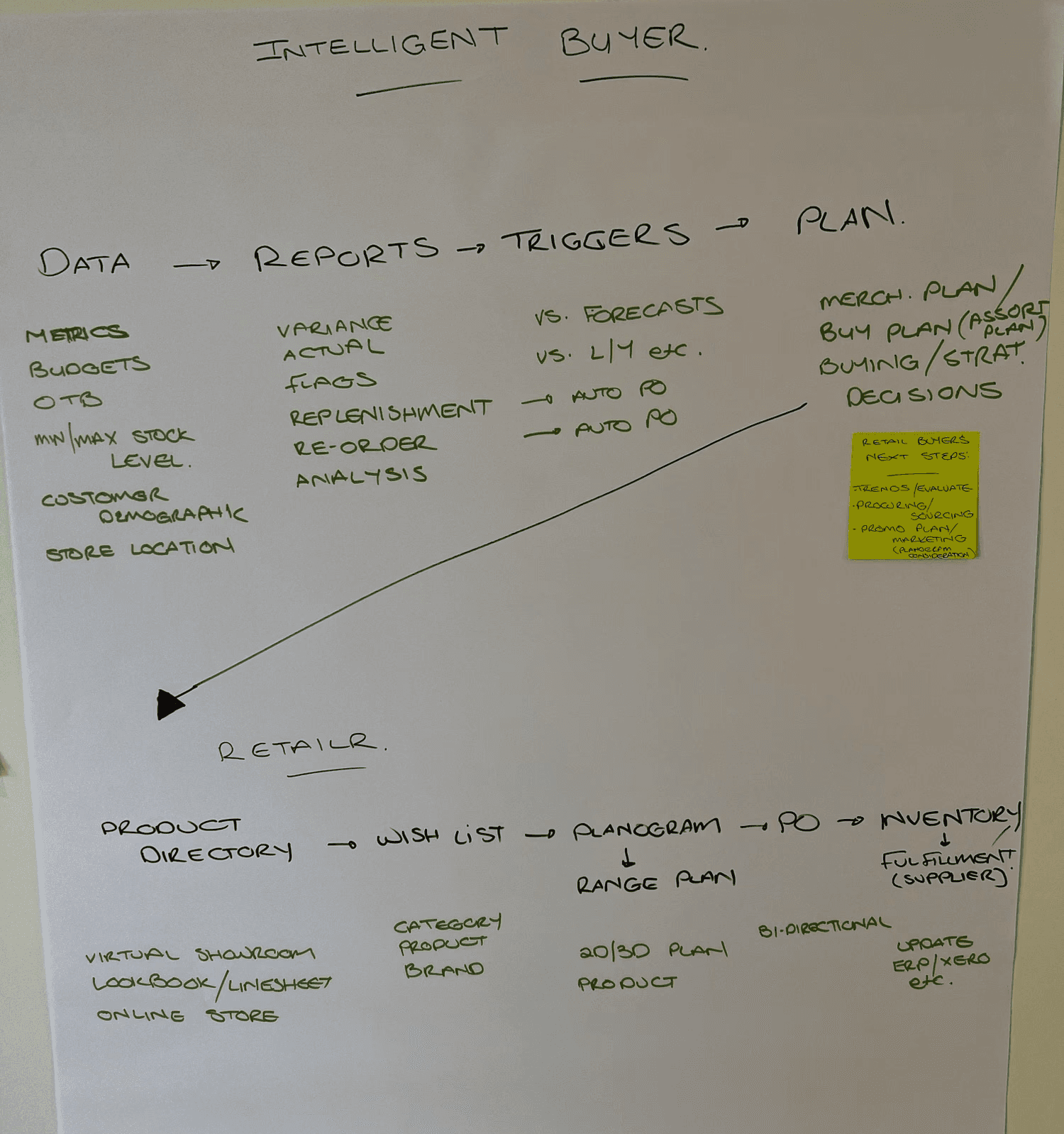
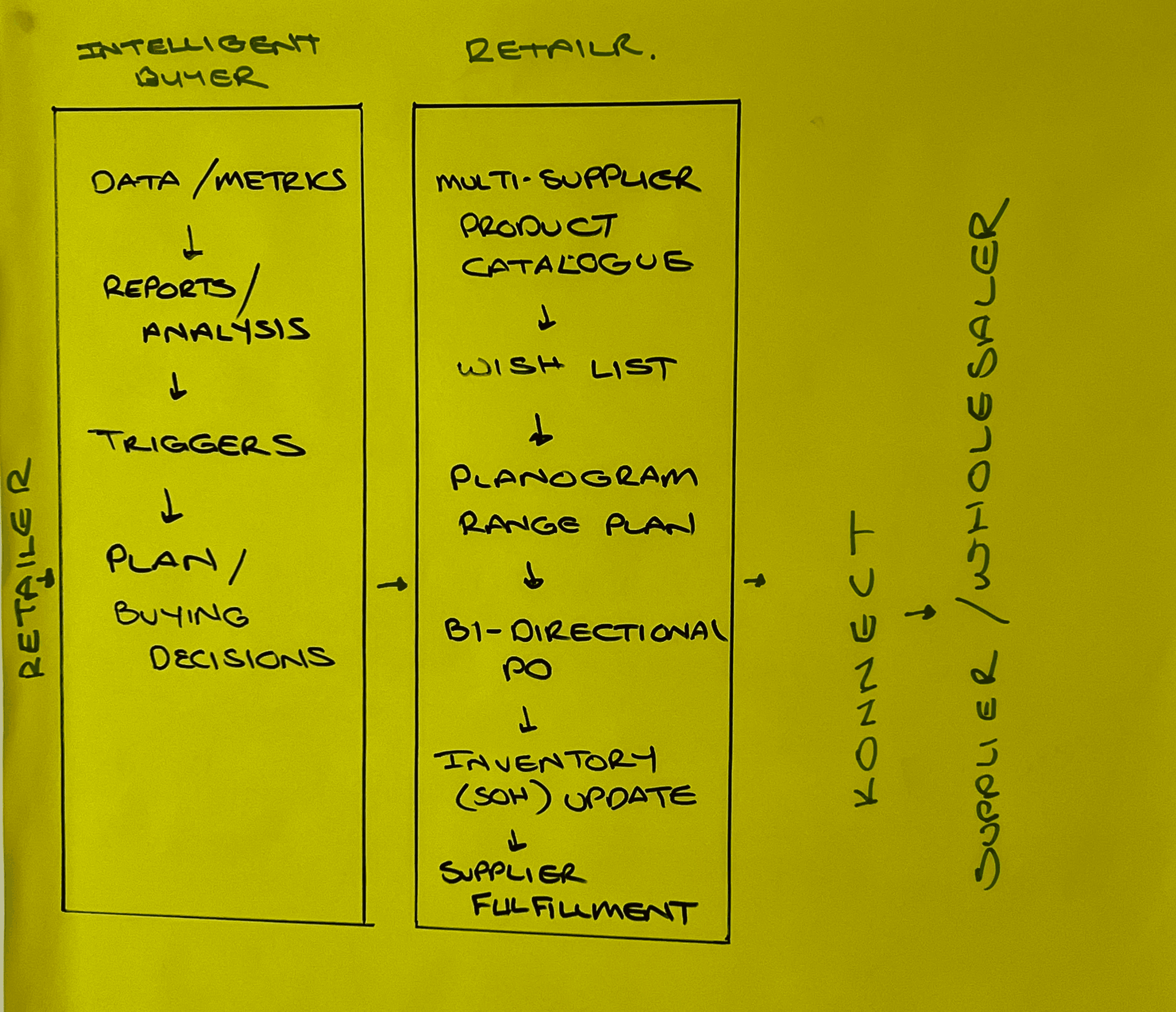
What I did: Mapped the end-to-end workflow, marked essential vs optional steps, and designed around the key decision points where teams typically revert to spreadsheets.
2) Concept credibility, avoid “magic AI”
AI buying advice and auto-PO can sound unrealistic unless grounded in clear signals and outputs.
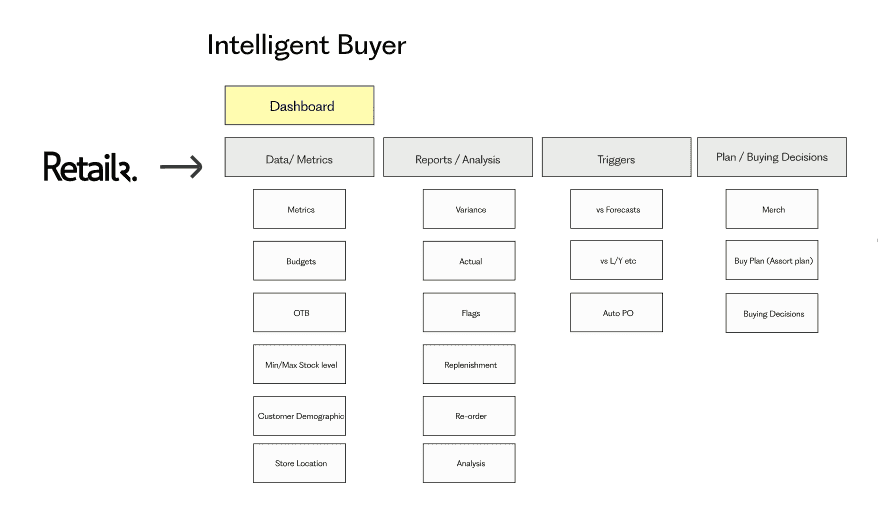
What I did: Positioned “Intelligent Buyer” as decision support (signals and triggers), and anchored the story in tangible artefacts like allocation views and purchase order generation.
3) Spreadsheets win on flexibility, not design
Spreadsheets persist because they support fast pivots across weeks cover, offer vs sales, and exception spotting.
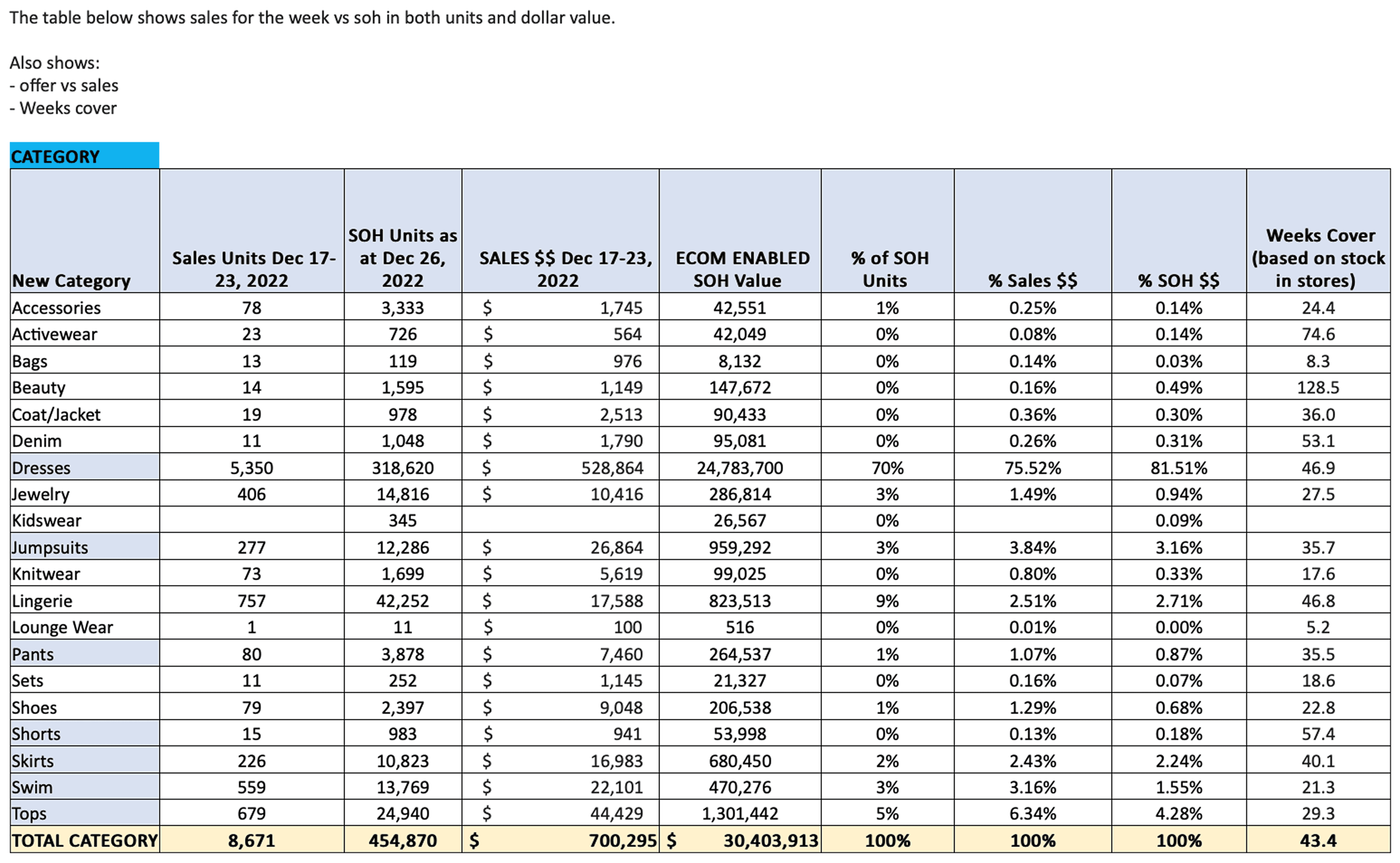
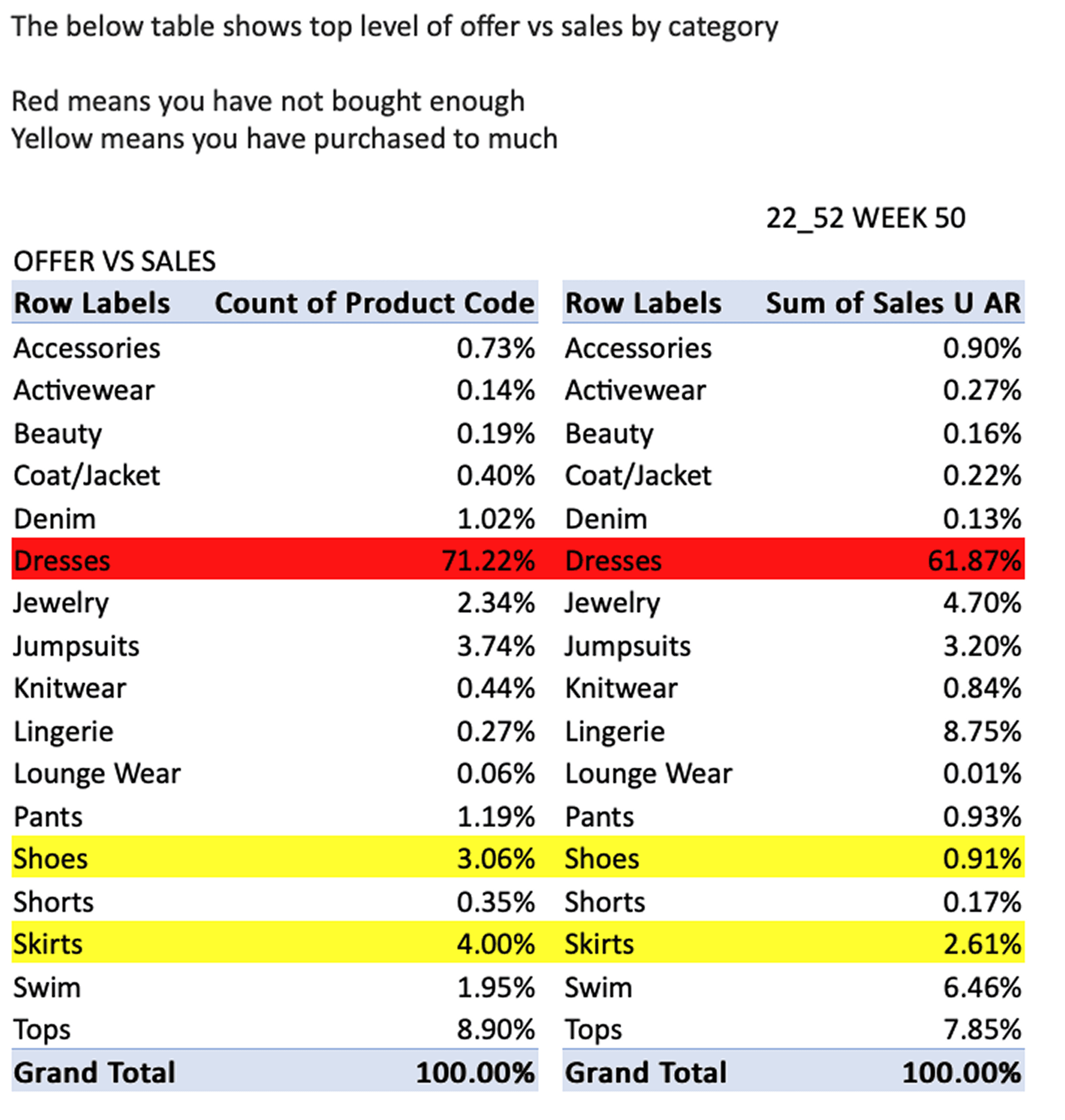
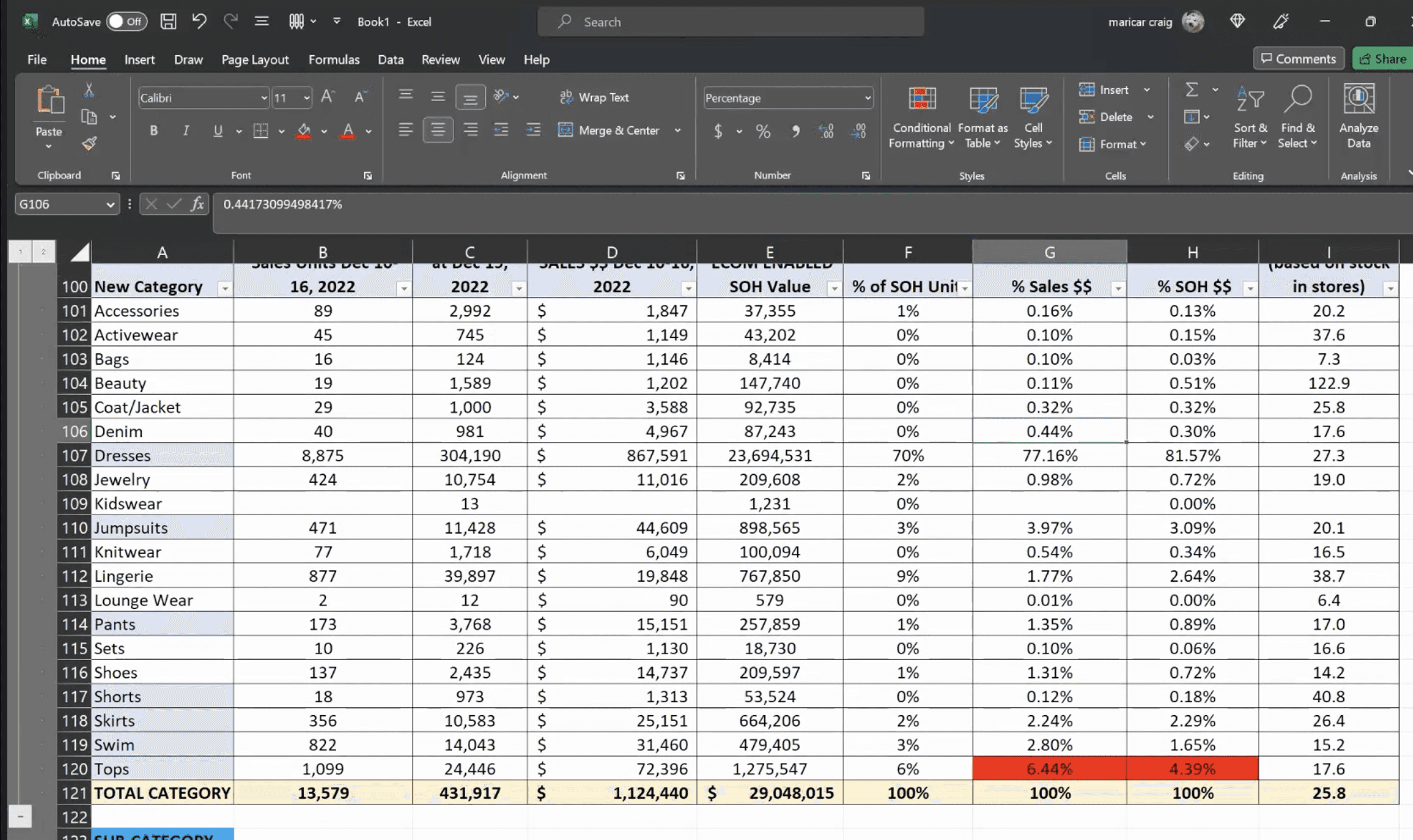
What I did: Converted spreadsheet logic into in-product signals (budget variance, under/over buy indicators, delivery constraints) and kept constraints visible during selection and allocation.
4) Differentiation beyond visual browsing
Competitors already offered visual catalogues, filtering, and bulk actions, so browsing alone was not defensible.
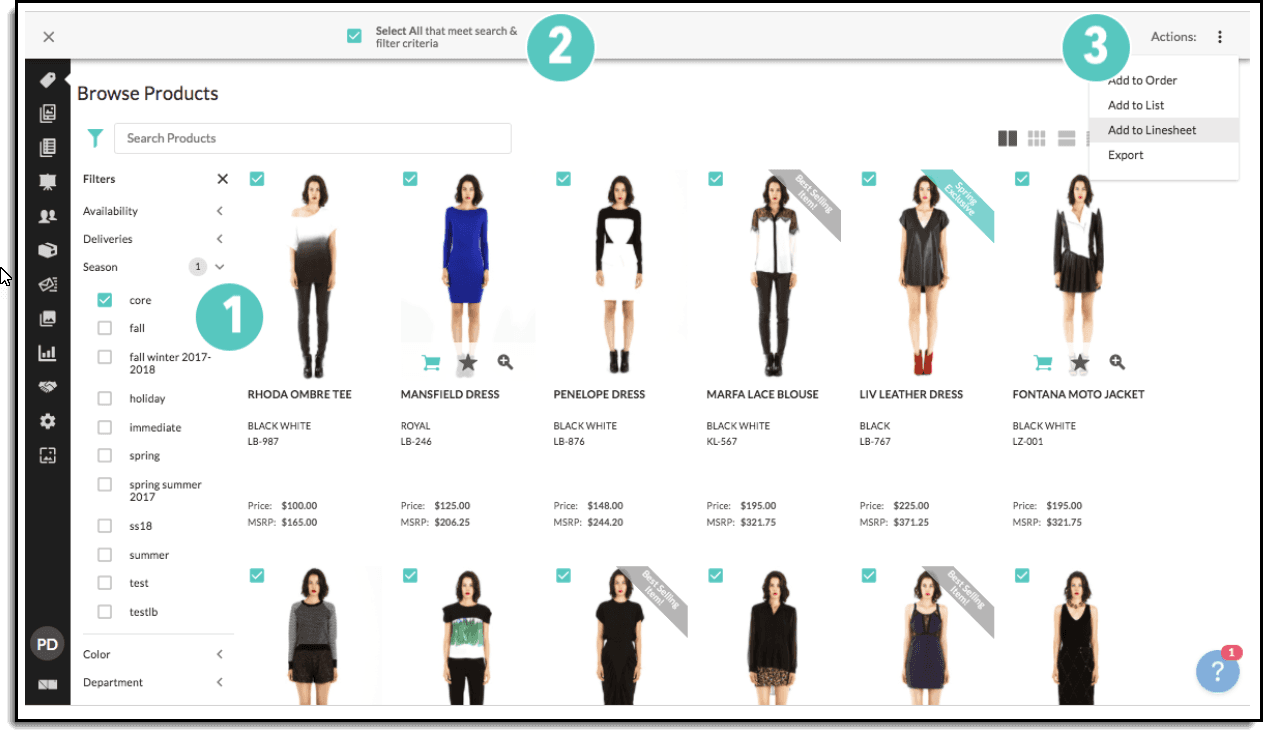
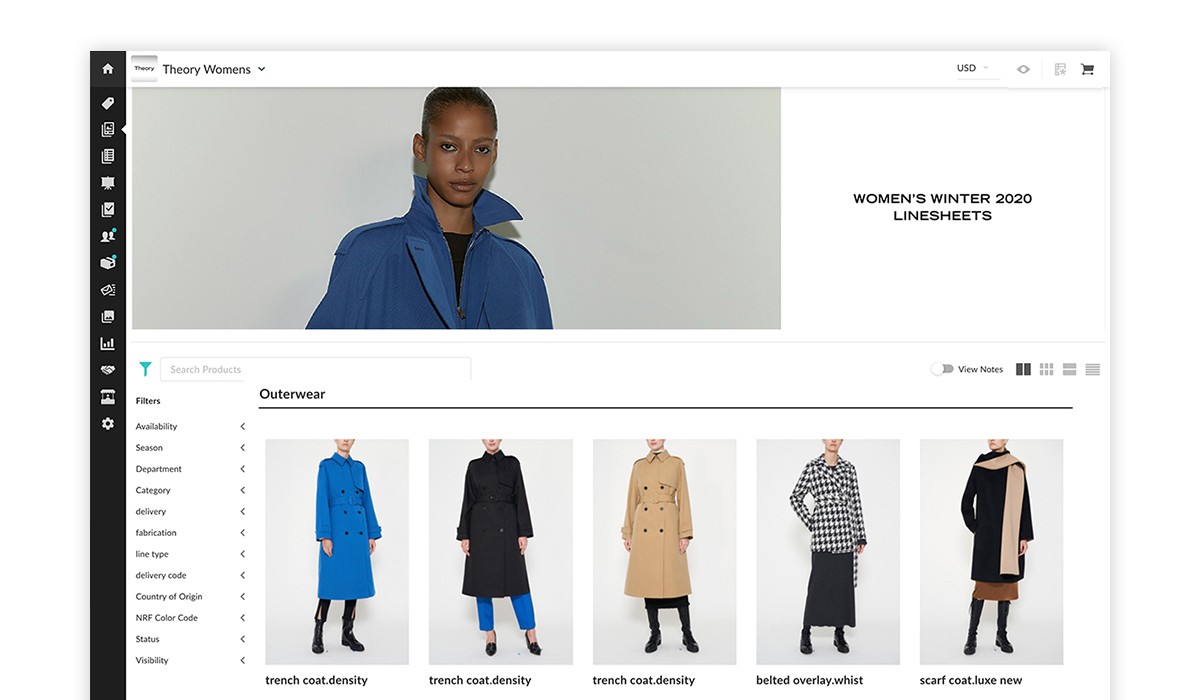
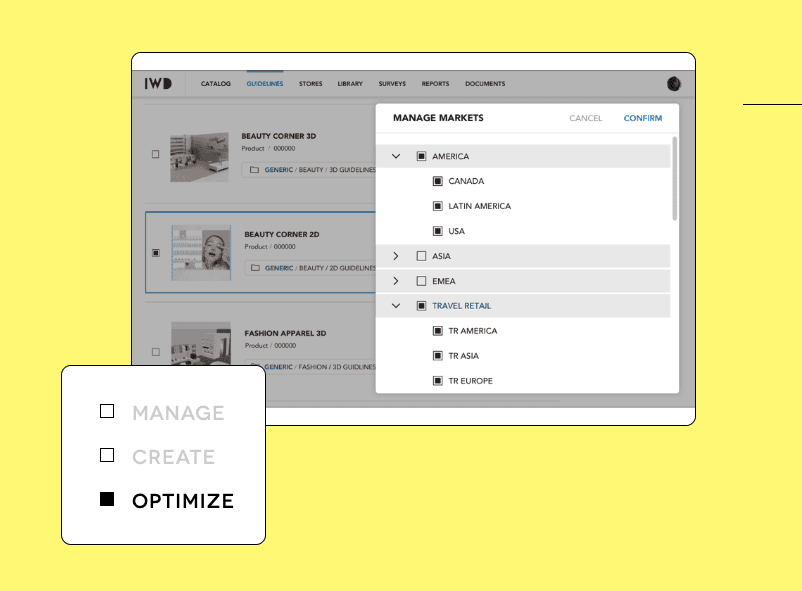
What I did: Designed the workflow beyond “actions” by guiding users from discovery into range planning and allocation, with budgets and constraints visible, then closing the loop with an operational PO output.
5) Scope discipline for an investor deck
Retail buying can expand endlessly (planograms, forecasting, replenishment, integrations).
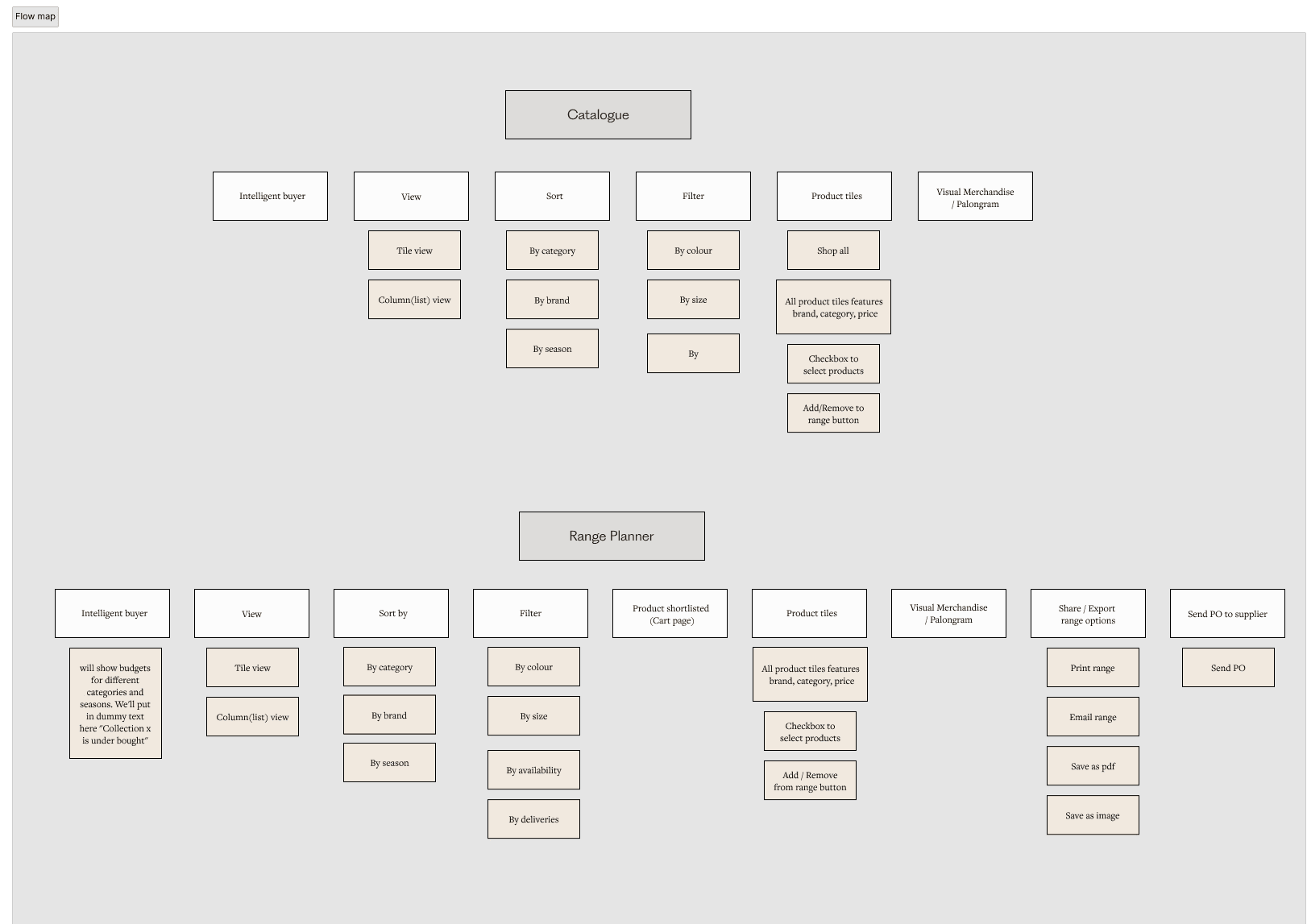
What I did: Focused the narrative on a minimum workflow: discover → plan → allocate → purchase order, and parked additional capabilities as “next validation”.
My contribution
Owned the UX concept and interaction model across discovery, planning, allocation and order creation
Designed all high-fidelity UI used in the investor deck and prototype narrative
Structured the story so each screen reinforced a specific value proposition
Facilitated working sessions with the founder to prioritise which workflows to show first, based on investor relevance and product credibility
Process
Outcomes
The concept deck gave Retailr a concrete story for investor and partner conversations. Instead of abstract ideas, stakeholders could see how a buyer would move from discovery through planning, allocation, and purchase order creation in one tool, and how data signals support decisions along the way.
The artefacts also formed a north star for future work by defining the minimum set of workflows to validate in deeper discovery.
Results (source: client-reported, internal reporting, method not provided)
68%
less time developing assortment plans
50%
less time writing orders
70%
less time running reports and analysis
Solution overview
Step 1 to Step 6
Step 1.
Visual catalogue for faster discovery
A visual-first catalogue helps buyers scan large ranges quickly before narrowing. Filters support progressive refinement (category, brand, season, delivery month, size, colour, price) without forcing decisions upfront.
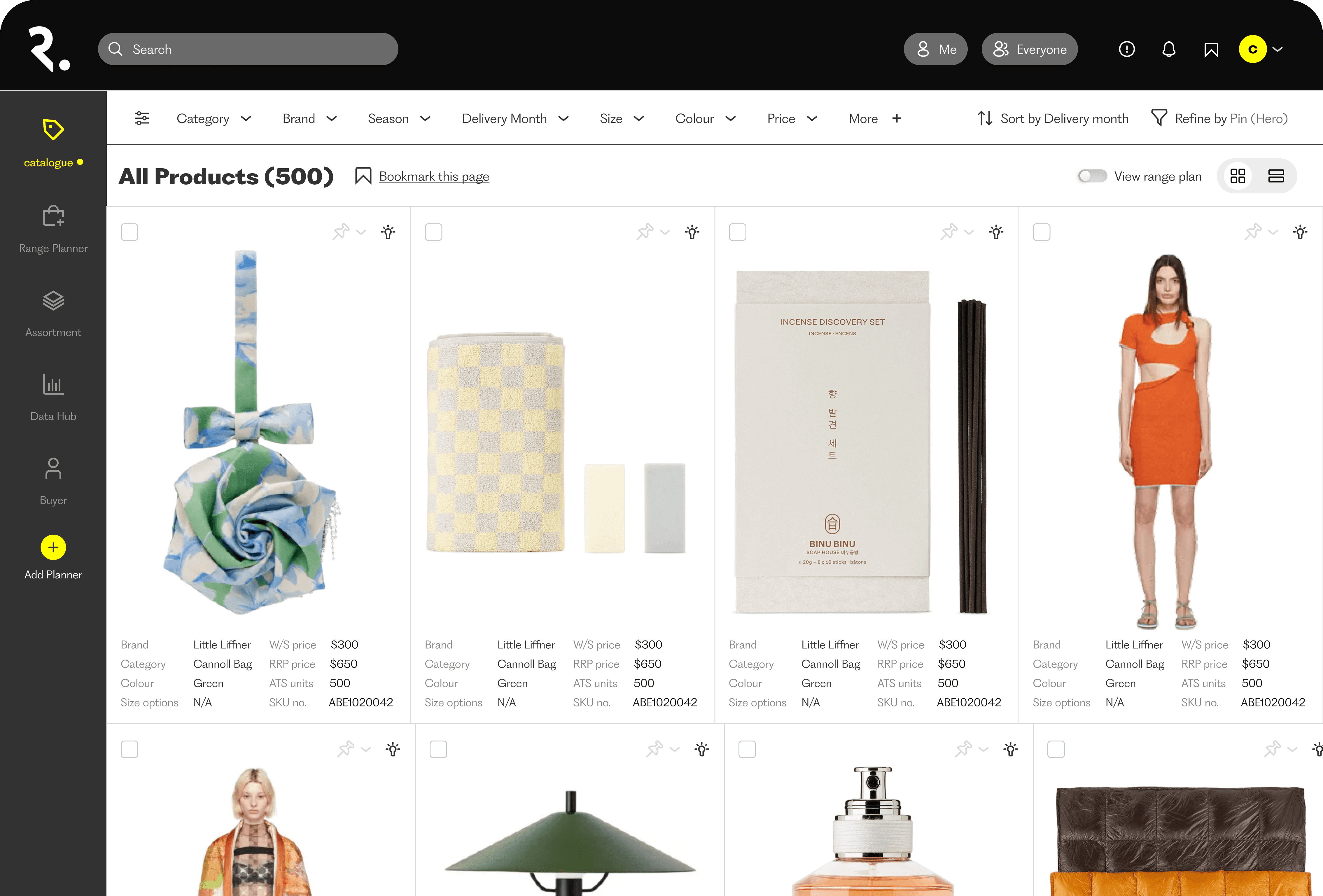
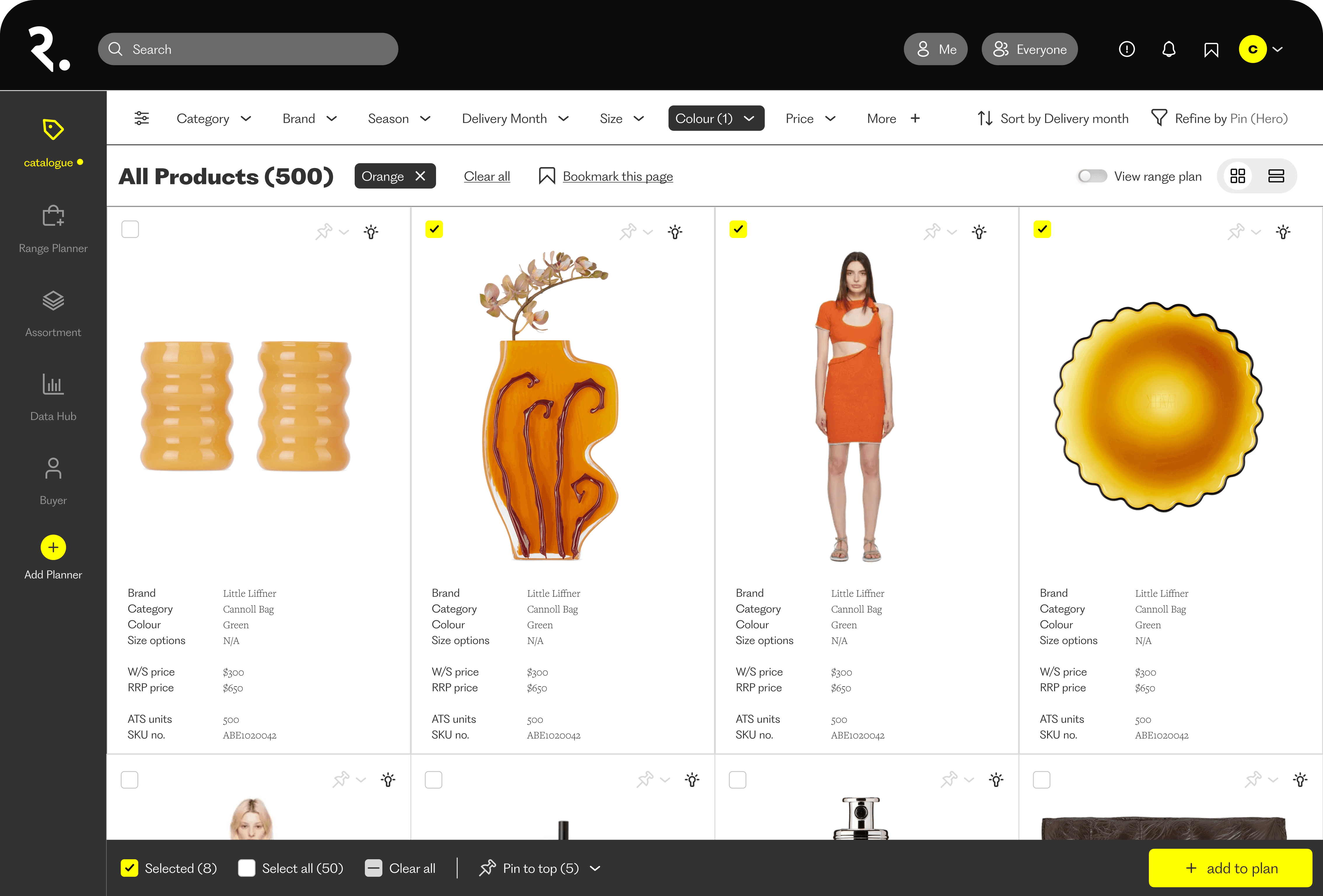
Visual catalogue supports fast scanning and progressive filtering across a large range.
Step 2.
Move from selection to planning
without losing context
Buyers can multi-select products and create a new range plan or list directly from the catalogue. This reduces the typical context switch into spreadsheets during early planning.
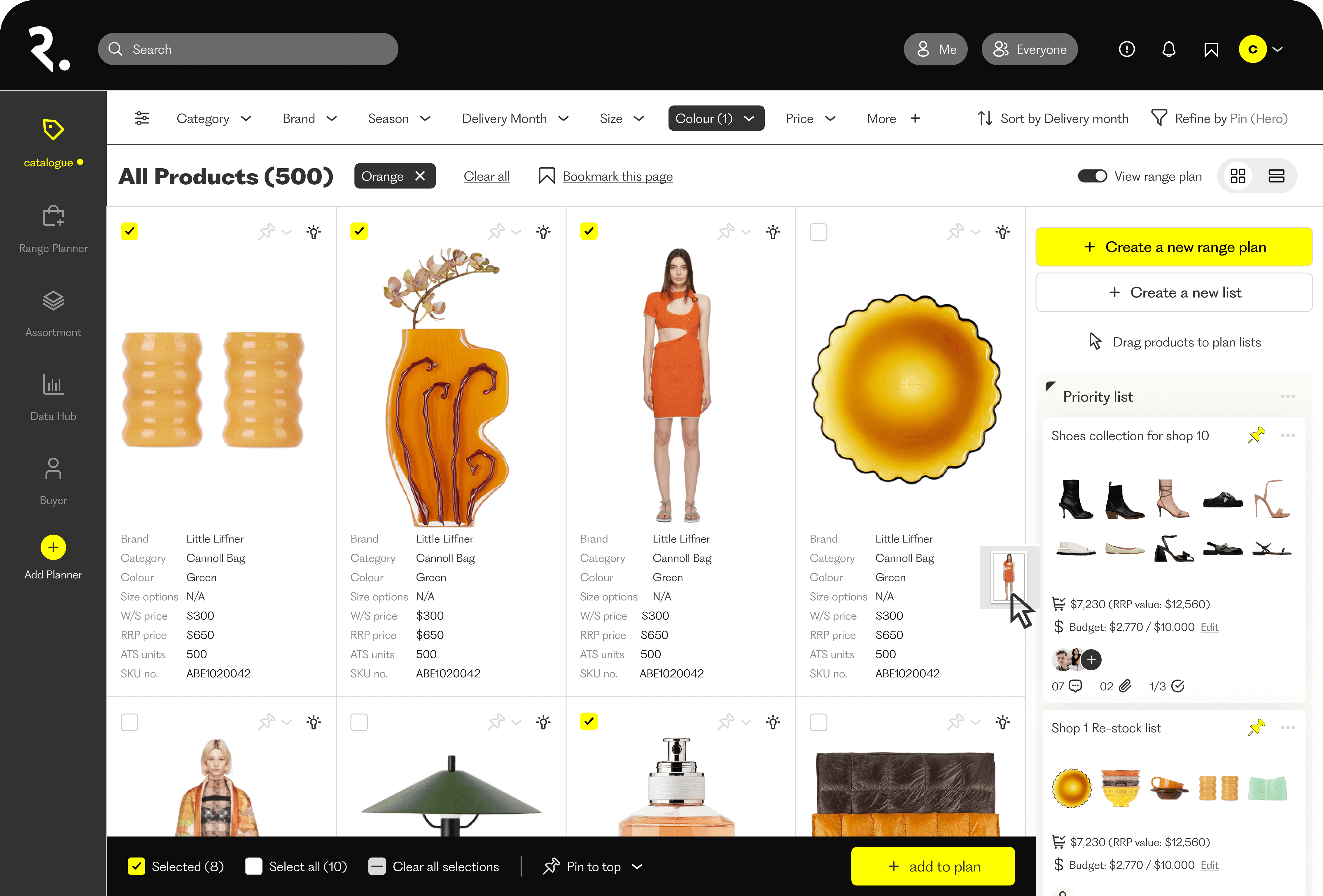
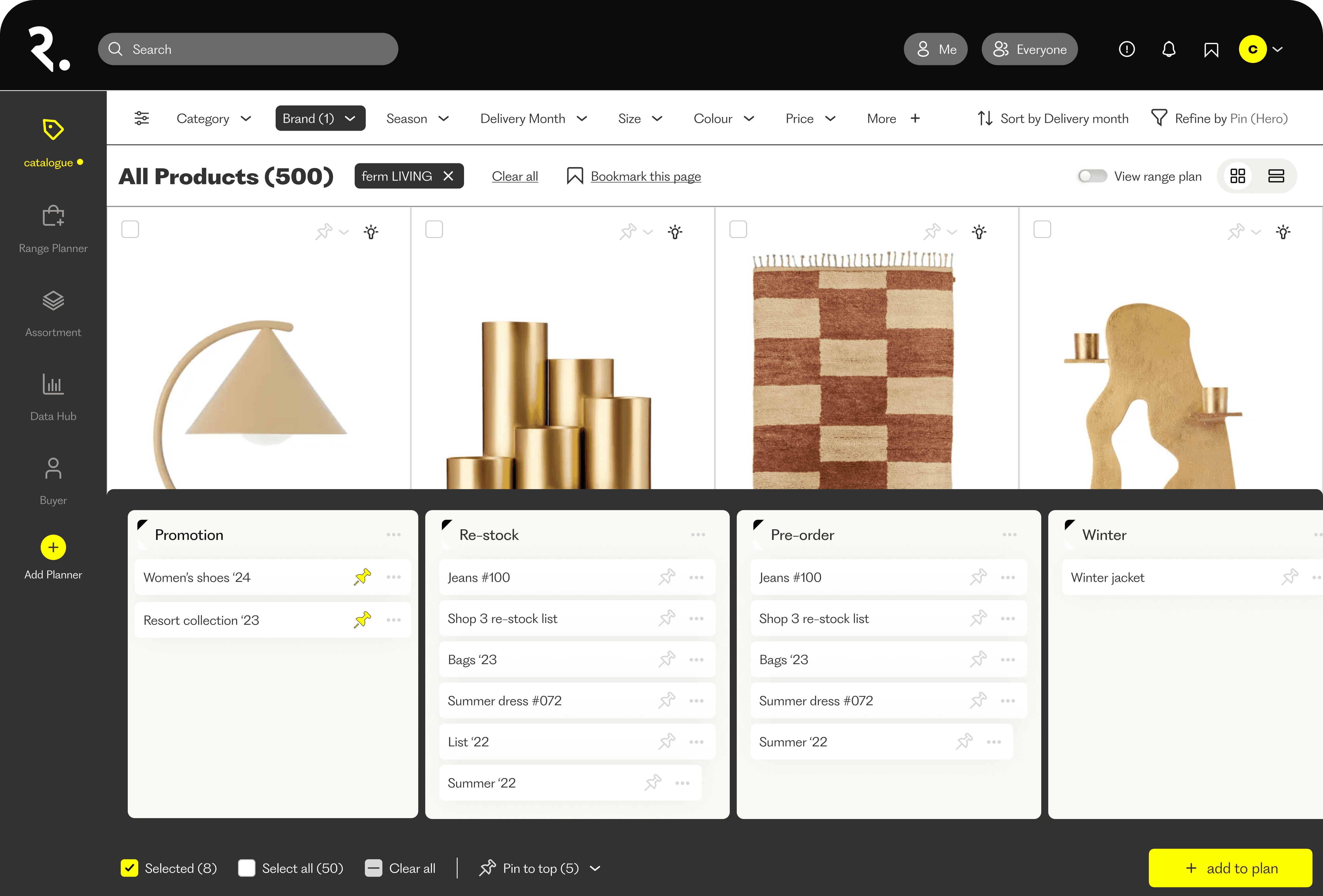
Multi-select and “add to plan” converts browsing into planning in the same flow.
Step 3.
Range planning as a working system,
not a seasonal spreadsheet
Range plans are organised by intent (priority, restock, pre-order, reorder) and can be duplicated, shared, moved, renamed, or deleted. This treats planning as a living workflow rather than a one-off export.
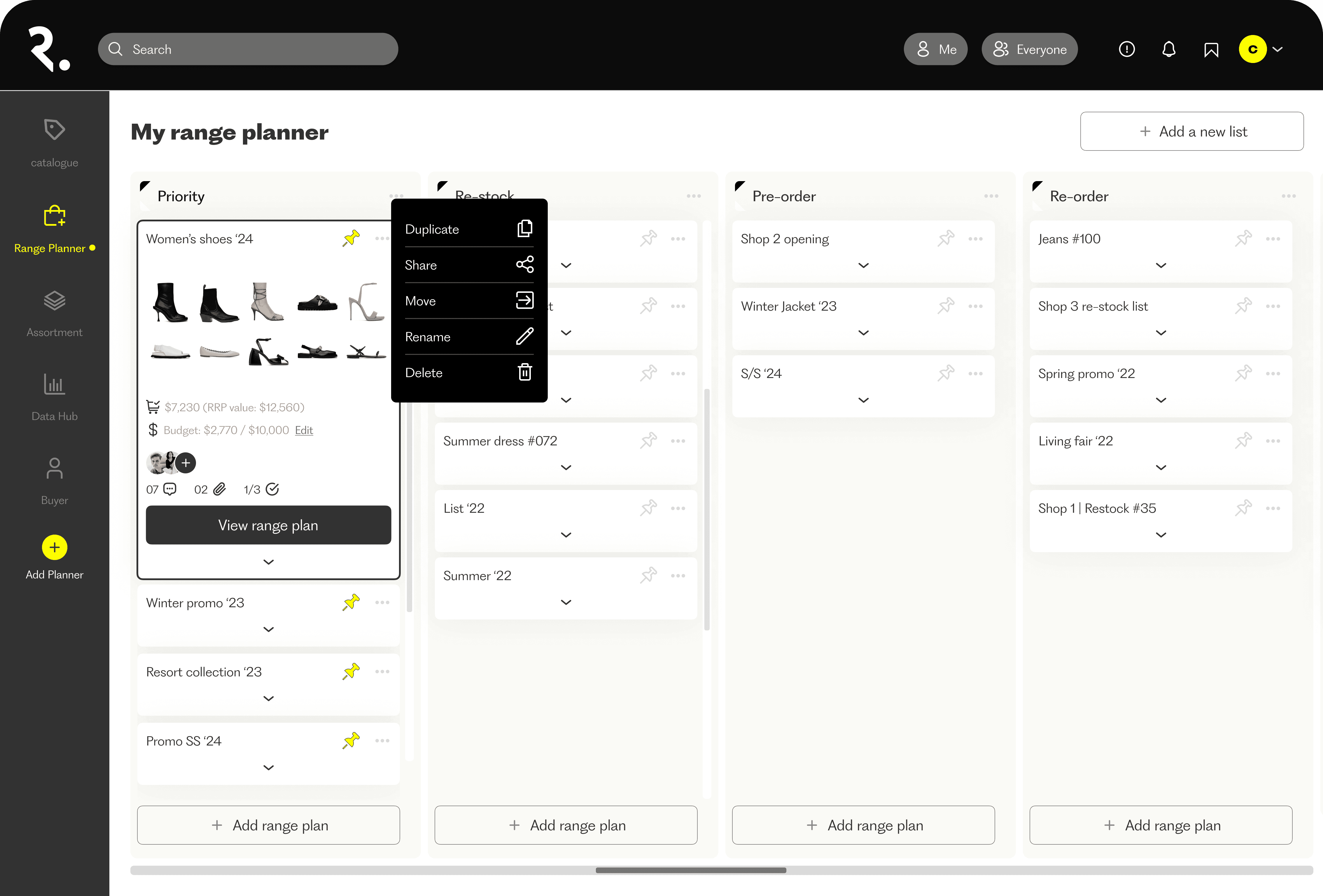
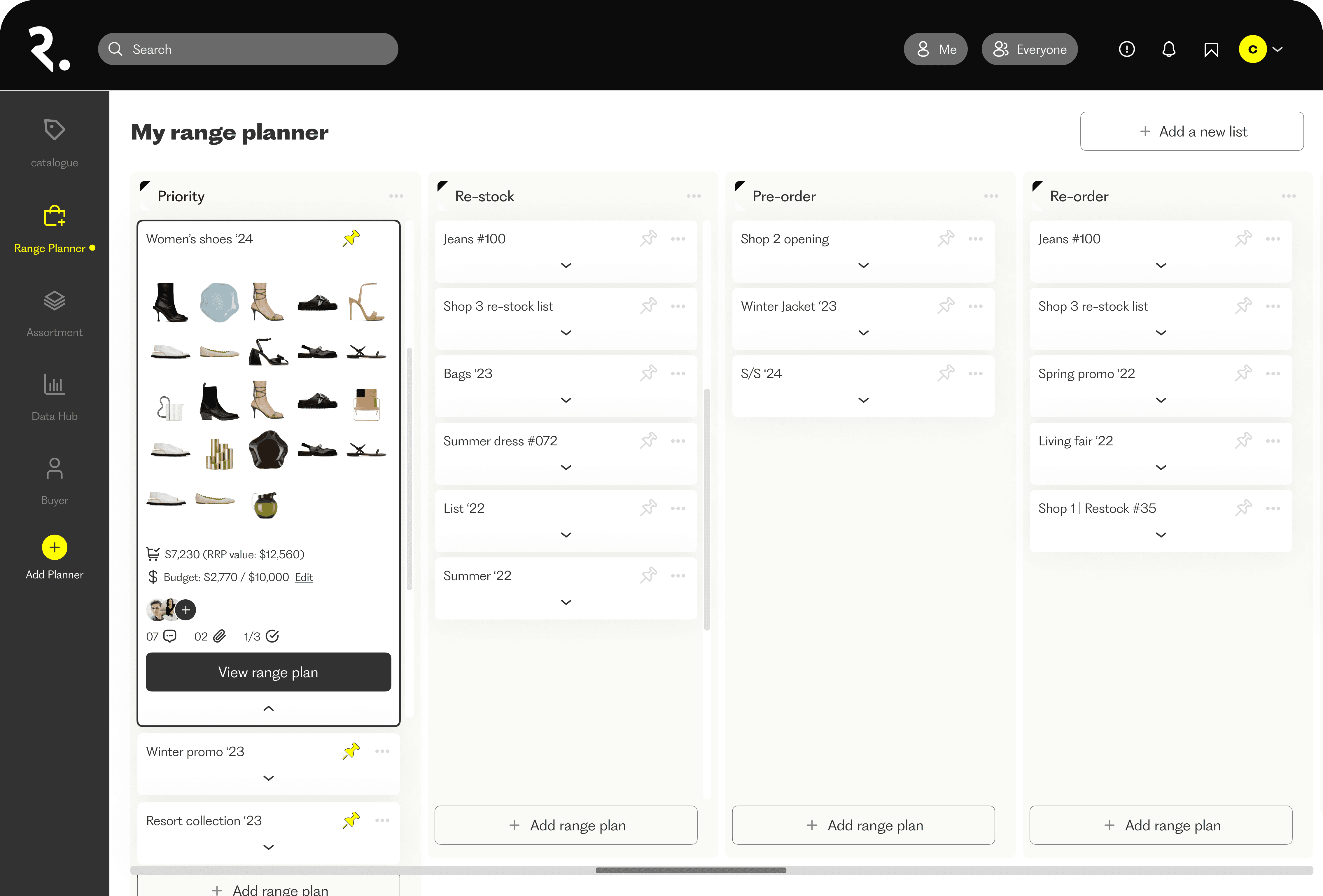
Range planning boards support real planning operations, not just data entry.
Step 4.
Budget-led planning with
constraints surfaced in context
Plans display budgets, units, and status at the top so buyers can see impact while adjusting mix and quantity. Filters and “find suggestions” support faster iteration within constraints.
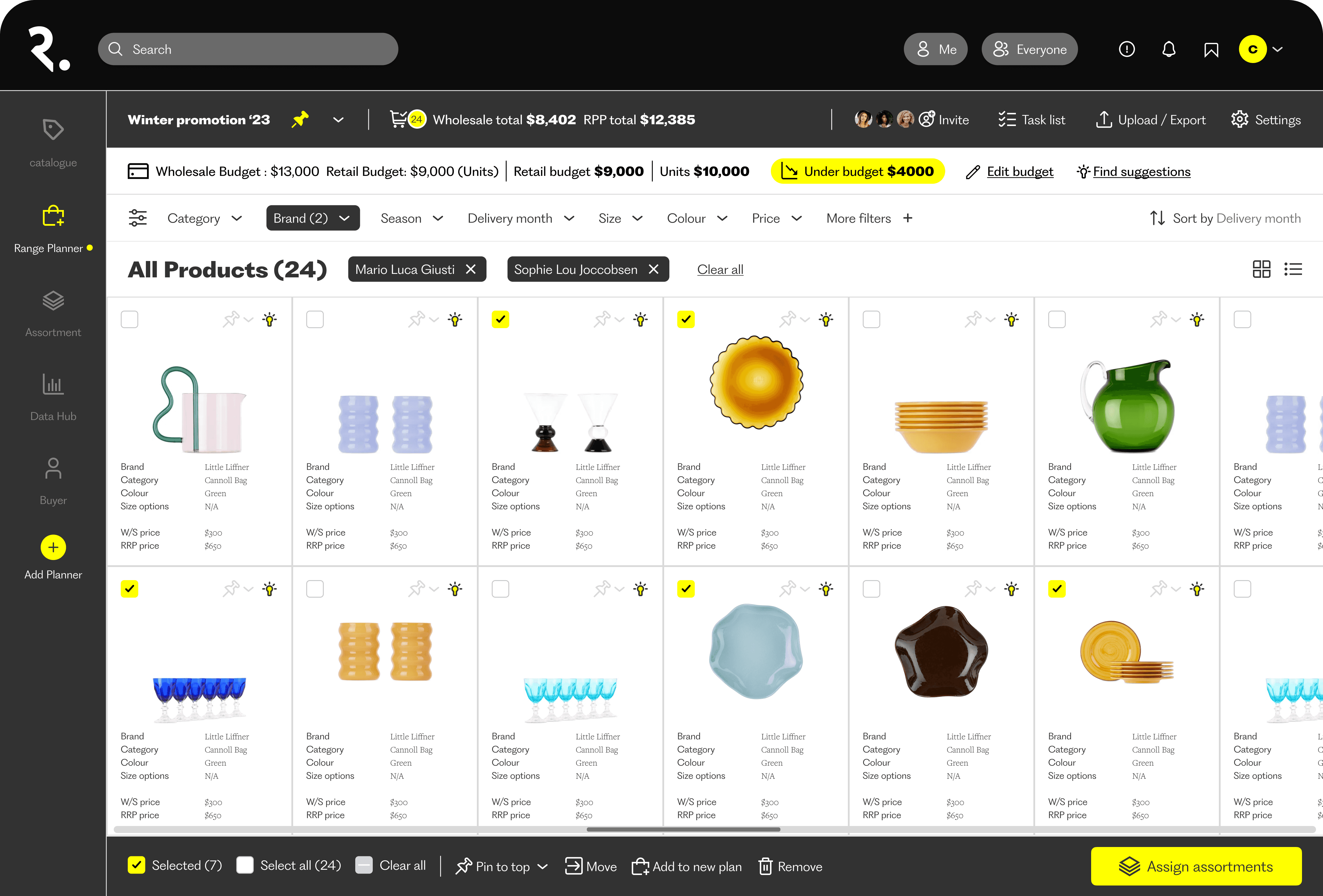
Budget visibility stays persistent so decisions are made with constraints, not after the fact.
A matrix view supports allocating product across stores, highlights budget differences, and surfaces suggestions for quick corrective action. This targets the stage where spreadsheet workflows usually break down.
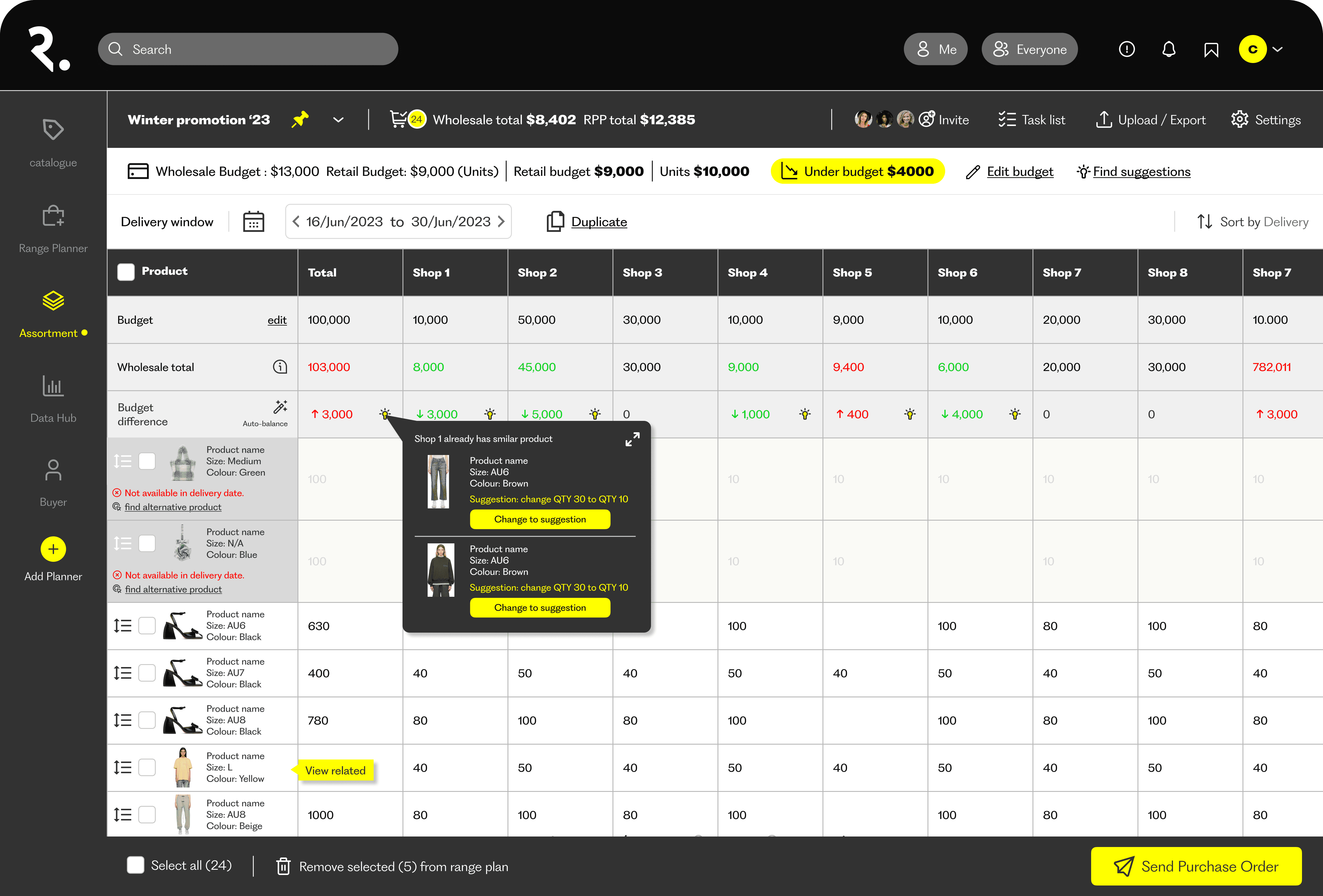
Allocation matrix highlights exceptions and supports guided adjustments without leaving the workflow.
Step 6. Purchase order output as an operational deliverable
A purchase order output closes the loop from planning to execution. It makes the concept operationally credible by showing how decisions become a format teams can send and track.
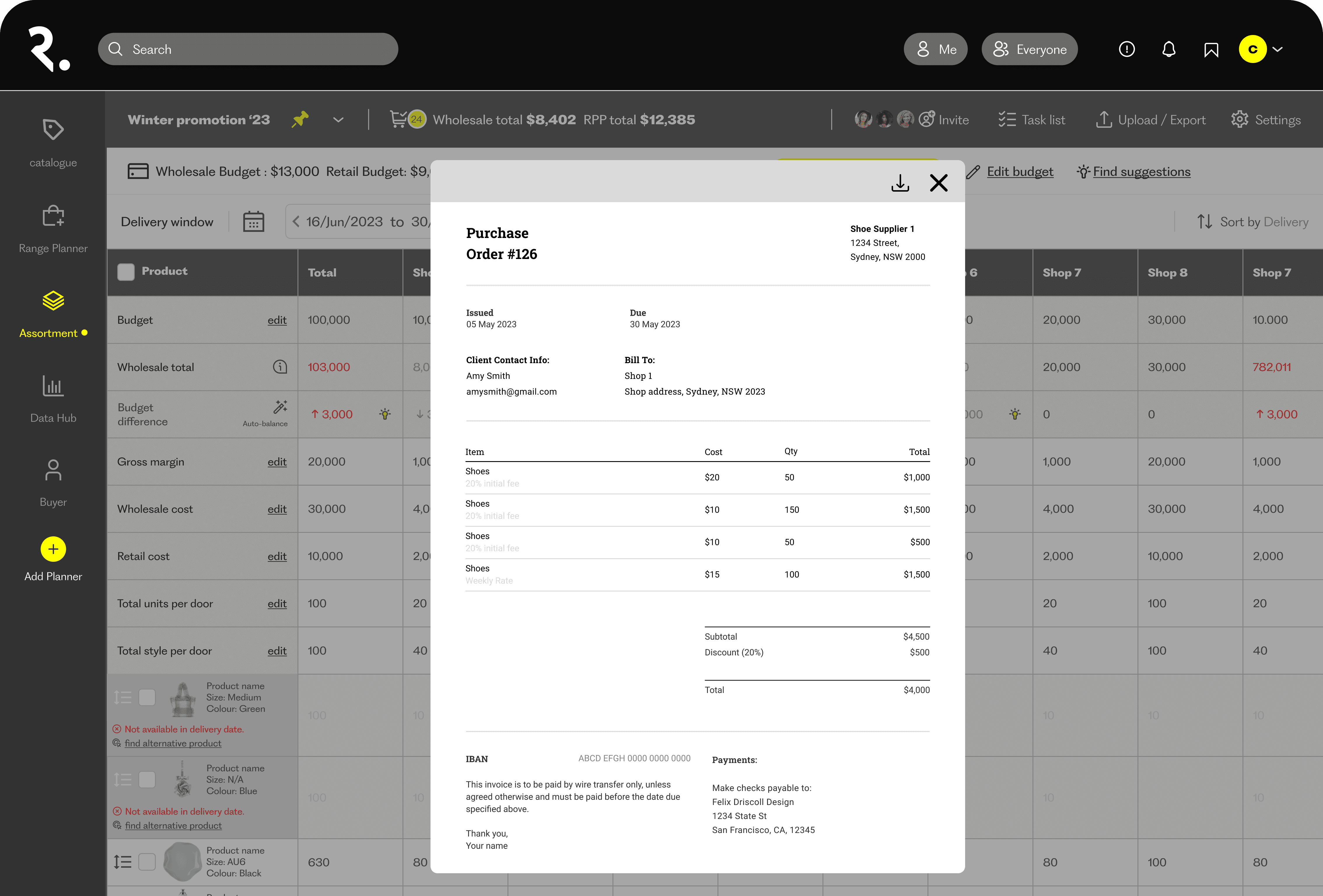
Purchase order output demonstrates an end-to-end workflow that can plug into real operations.
What I’d do next
Task-based usability testing
Can buyers complete shortlist → plan creation → allocation → PO creation faster than their current process?
Decision quality and trust
Which signals actually improve decisions (weeks cover, budget variance, delivery constraints) and what explanation is needed for buyers to trust suggestions?
Adoption and fallback points
Where do teams still revert to spreadsheets, and why? Reporting, allocation, supplier comms, or finance reconciliation?
Recommendation value vs noise
Do triggers and suggestions reduce time and errors, or create distraction? What controls do senior buyers need?