
Zero Co
Redesigning a Shopify storefront to grow refill subscriptions
A Shopify Plus redesign that removed friction from discovery to checkout — and lifted add-to-cart actions by 396% in the first month.
As a lead Product Designer — end-to-end ownership from problem framing through launch.
Role
Product/UX/UI Designer
Client
Zero Co
Duration, Year
4months, 2024
Platform
Shopify Plus (e-commerce, subscription)
Contributors
1 Designer(Me), 1 PM, 1 FE Developer,
2 Stakeholders
Zero Co sells refillable household products — customers buy a reusable bottle once, then subscribe to receive paper-first refill pouches. The model only works if subscriptions stick.
In mid-2024, the team launched a rebrand alongside a new packaging format (ForeverFill paper pouches). The risk: a new look without a redesigned purchase experience would confuse customers at exactly the moment they needed to understand how refills worked.
I was brought in to redesign the full Shopify Plus storefront — homepage through cart — to make the refill subscription model feel obvious, trustworthy, and easy to commit to.
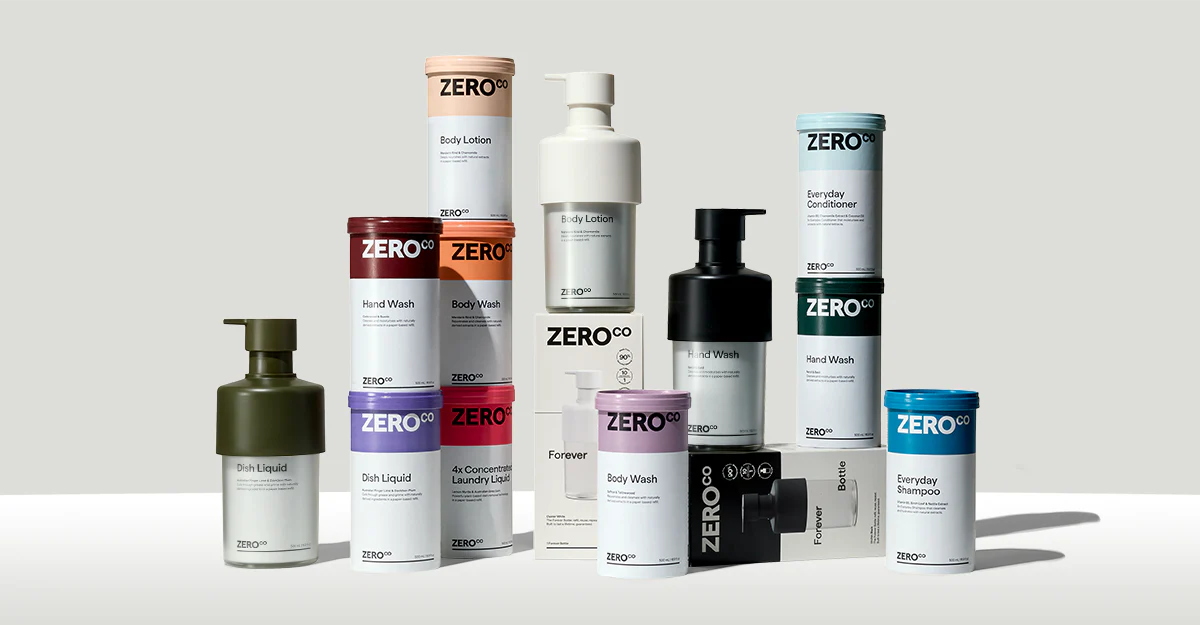

The core problem: users couldn't tell what they were buying.
The existing site had grown organically and the subscription model had been bolted on. By the time we audited the experience, three friction points stood out clearly:
😵💫 Subscription intent was lost at the decision point
Buy-once and subscribe options weren't visually distinguished on the product page. Users had to scroll to find the subscribe option — by which point most had already made up their minds.
📵 The bundle builder felt like a chore on mobile.
Long pages with no persistent progress meant users who wanted to build a subscription bundle regularly abandoned mid-flow. There was no sticky summary, no sense of how far through they were.
🛒Cart confusion caused last-minute drop-off.
Subscription and one-time items sat in the cart with no clear labelling. Delivery cadence wasn't visible. Users weren't sure what they'd actually committed to — and doubt at checkout is a conversion killer.
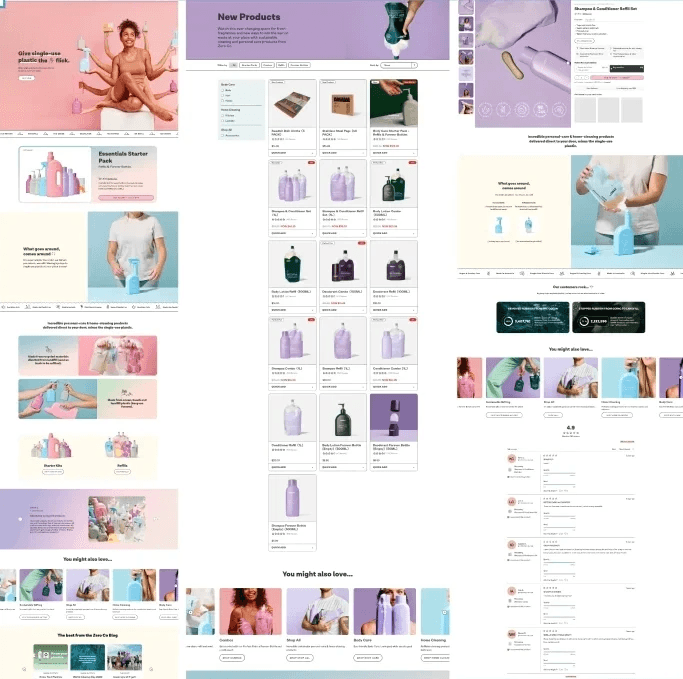
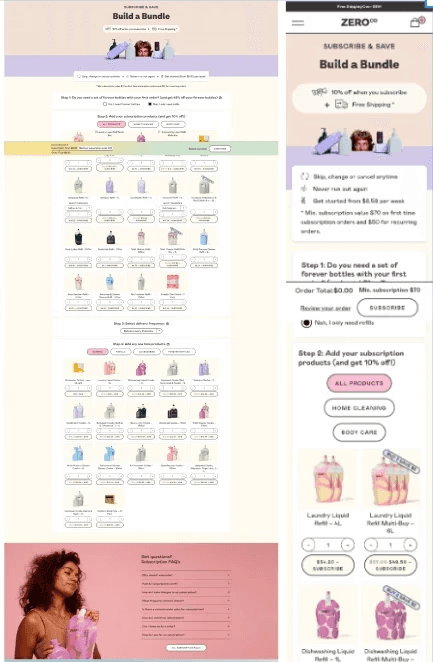
Left: Homepage,PLP,PDP / Right: Subscription bundle builder desktop & mobile
What I believed, and how I'd know if I was right
Before jumping to solutions, I framed three testable hypotheses to keep the team aligned on what we were actually trying to prove:
If buy-once vs subscribe is made obvious at the decision point
⇓
More users will add to cart without needing to read the fine print
If users can edit variants and quantity directly inside the cart
⇓
Fewer users will abandon after adding, because recovery is easy
If we reduce mobile effort with persistent actions and clearer page hierarchy
⇓
More users will reach checkout without losing their place
I tracked add-to-cart actions and on-site engagement as the primary indicators. If I'd had longer post-launch access, I'd have validated checkout start rate, subscription attach rate, and support contact volume as the fuller picture.
How I worked
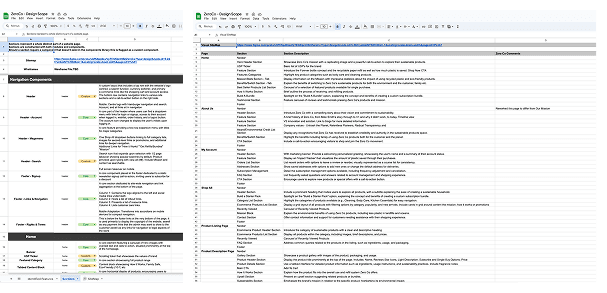
I started with a full audit of the existing purchase journey, mapping every point where a user had to make a decision and noting where the UI either helped or obscured that decision. That audit directly shaped the scope — rather than redesigning everything, we prioritised the flows with the highest drop-off risk: the PLP, PDP, bundle builder, and cart.
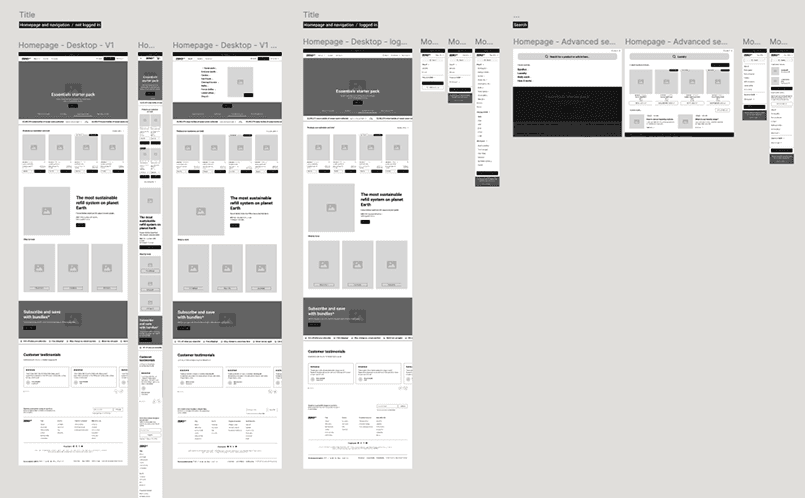
Low-fi wireframes were used to stress-test hierarchy and decision sequencing before any visual design was touched. The hi-fi work followed once we'd validated the structure in usability sessions with five participants.
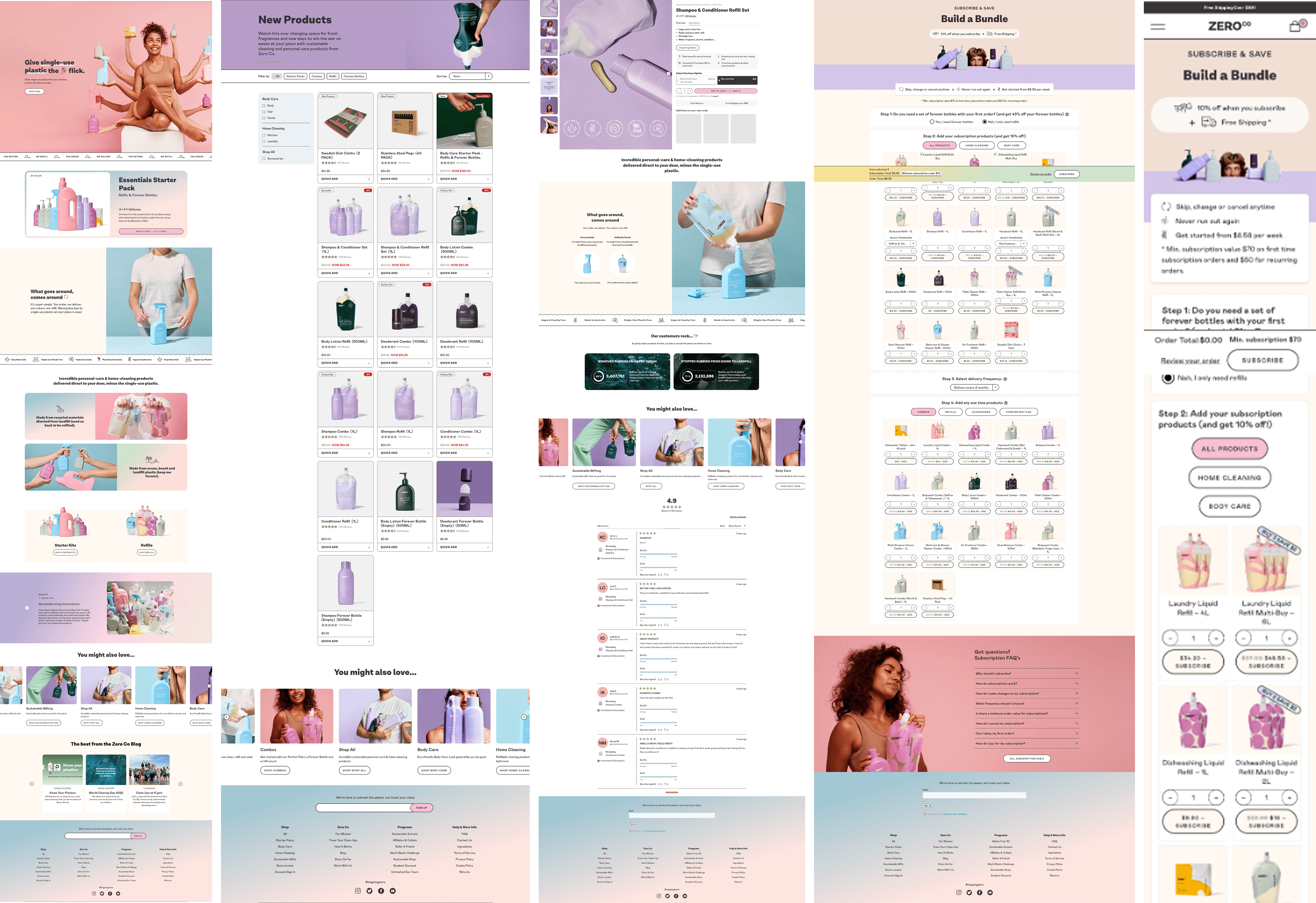
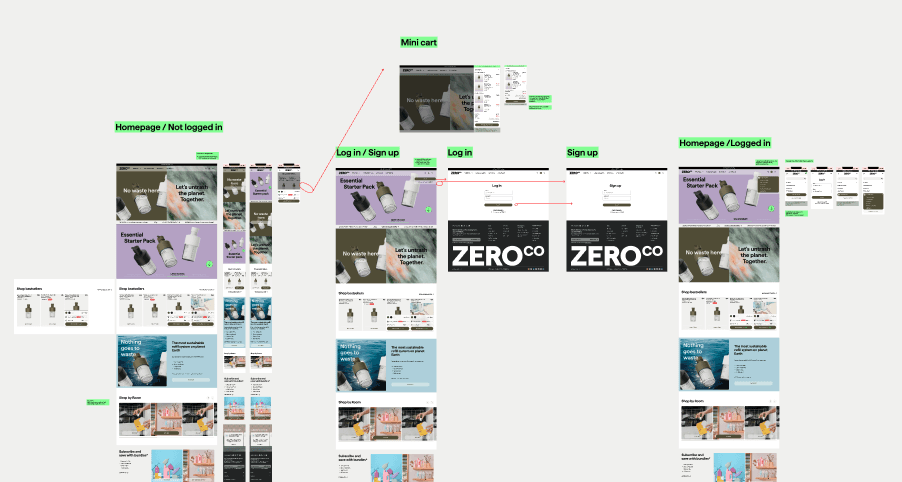
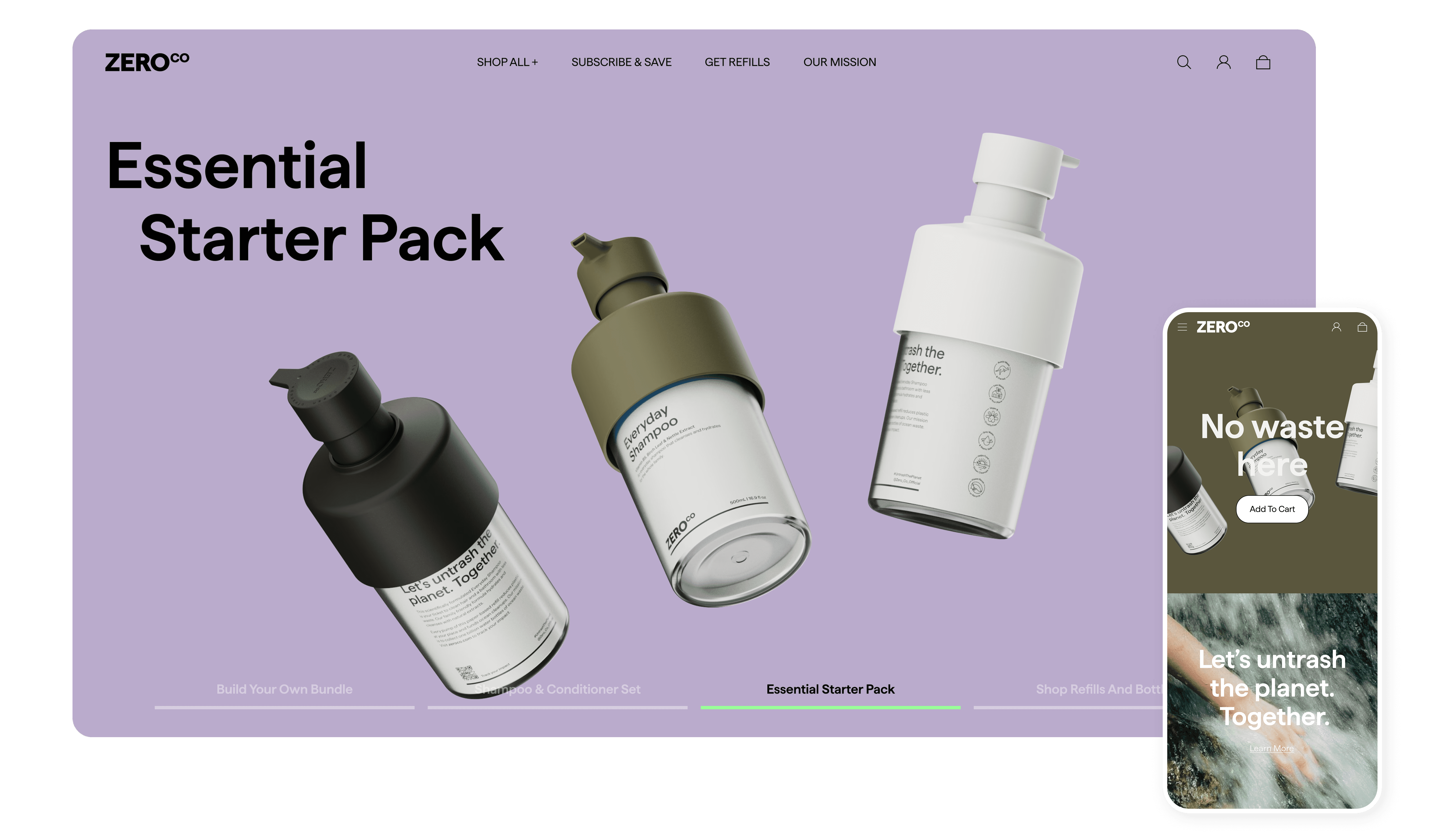
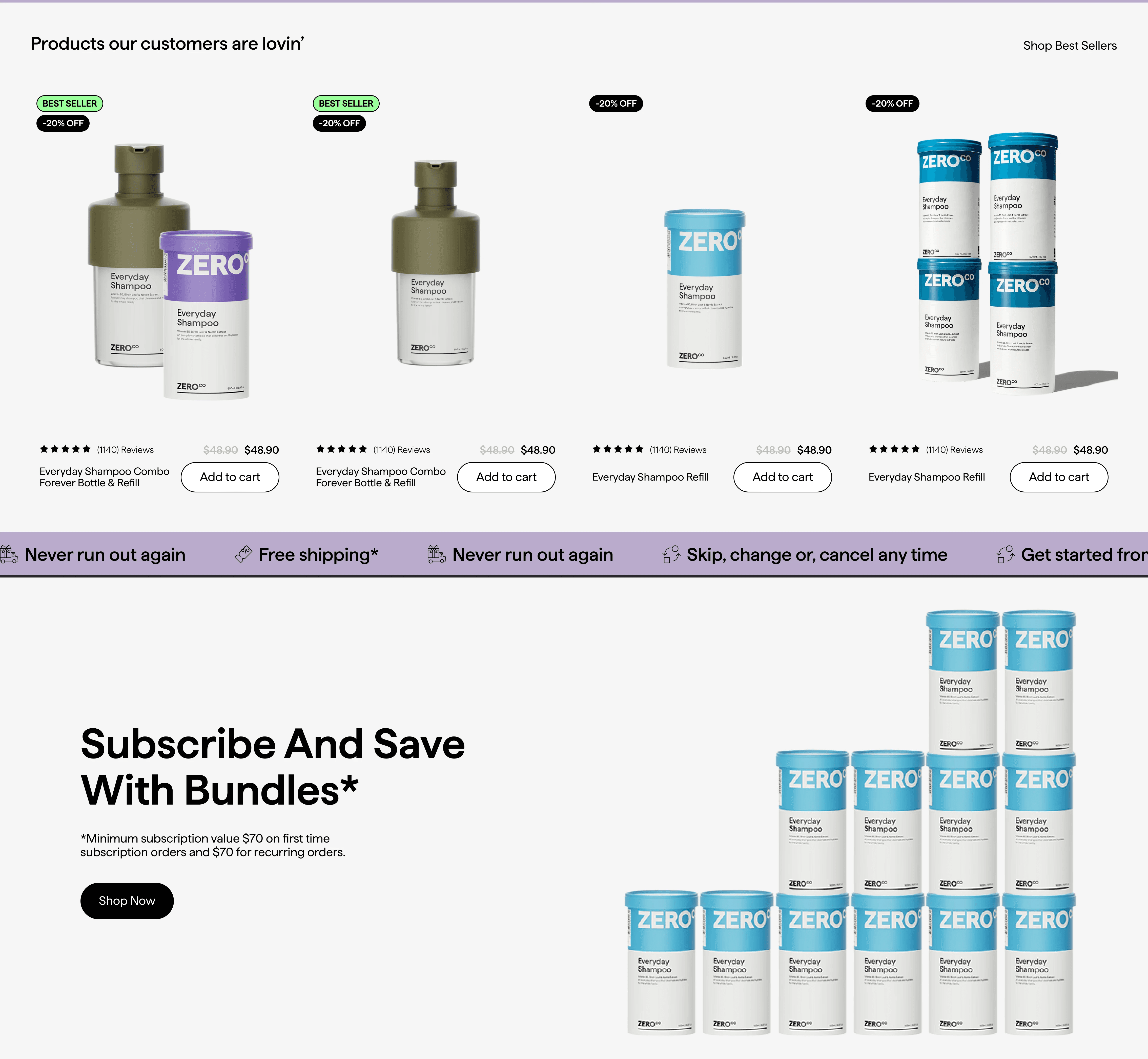
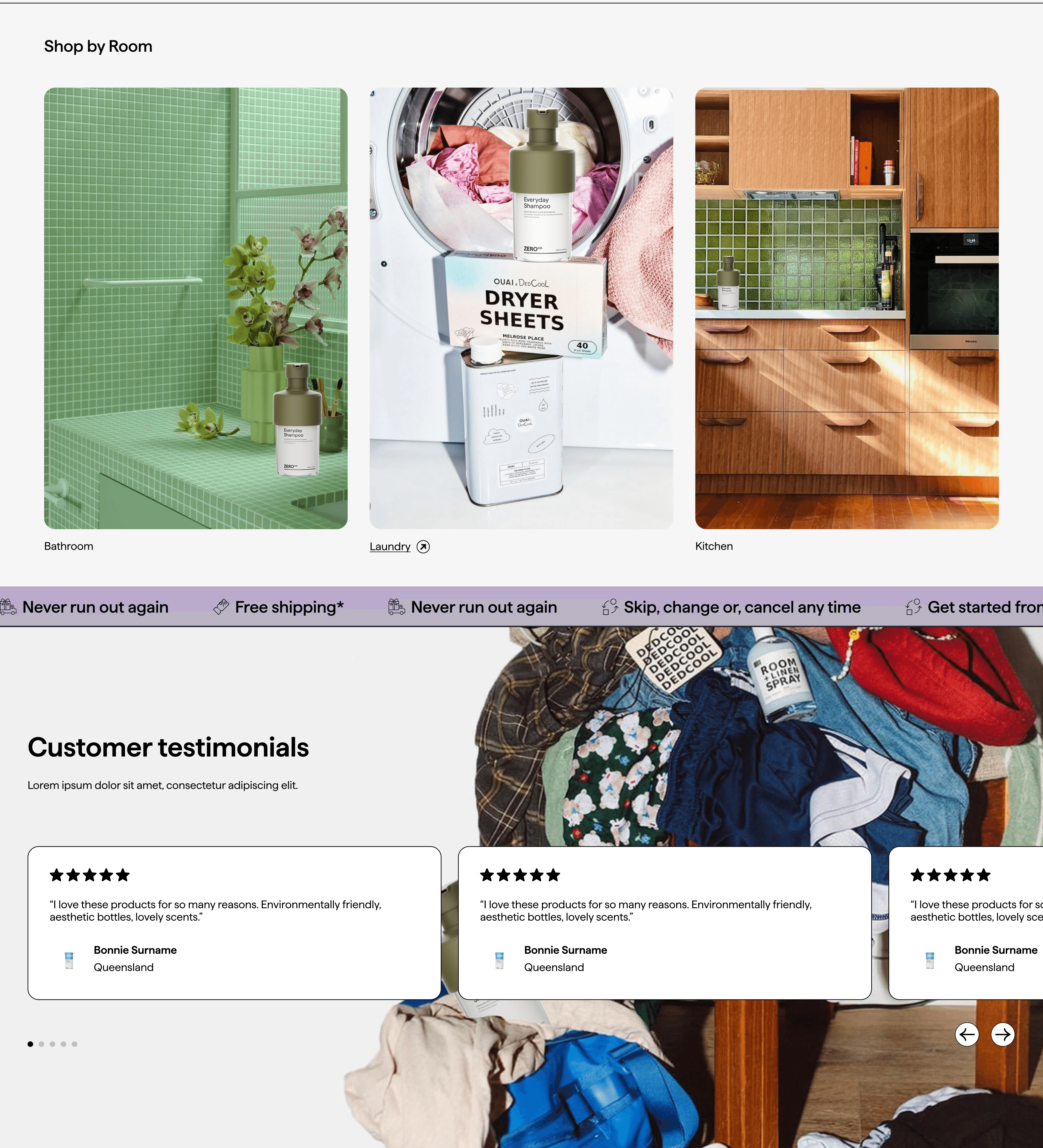

Hero introduces paper‑first ForeverFill, mission CTA, and starter packs
Bold type and lifestyle imagery express brand personality
Mission‑focused hero with new packaging front and center
Shop best sellers section: reduces browsing time by giving a curated starting point
Rating + review count: adds trust before users click into product pages
Best seller / offer badges: helps scanning and comparison on mobile
Shop by room tiles: turns a big catalogue into simple entry choices
Testimonial section
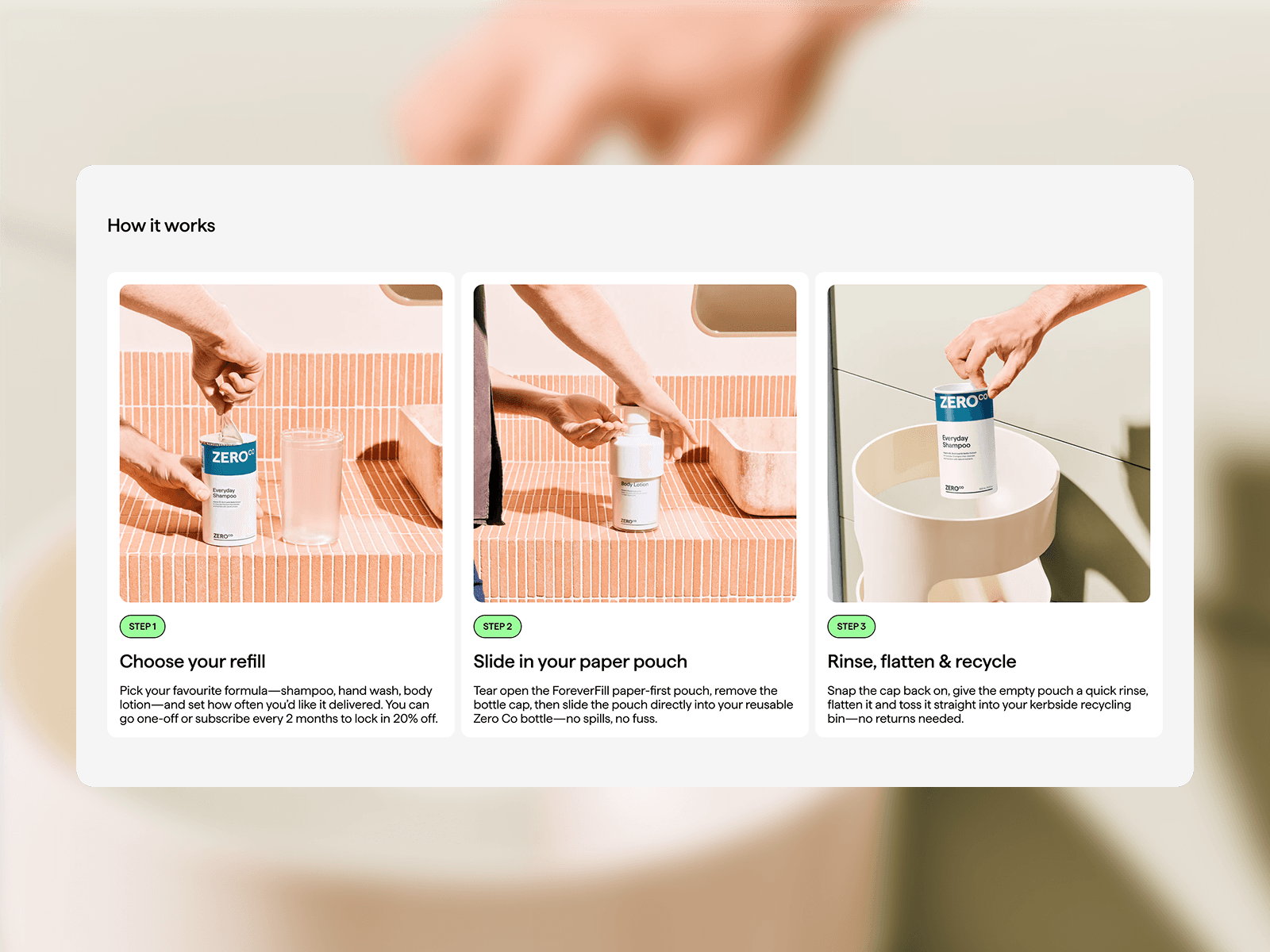
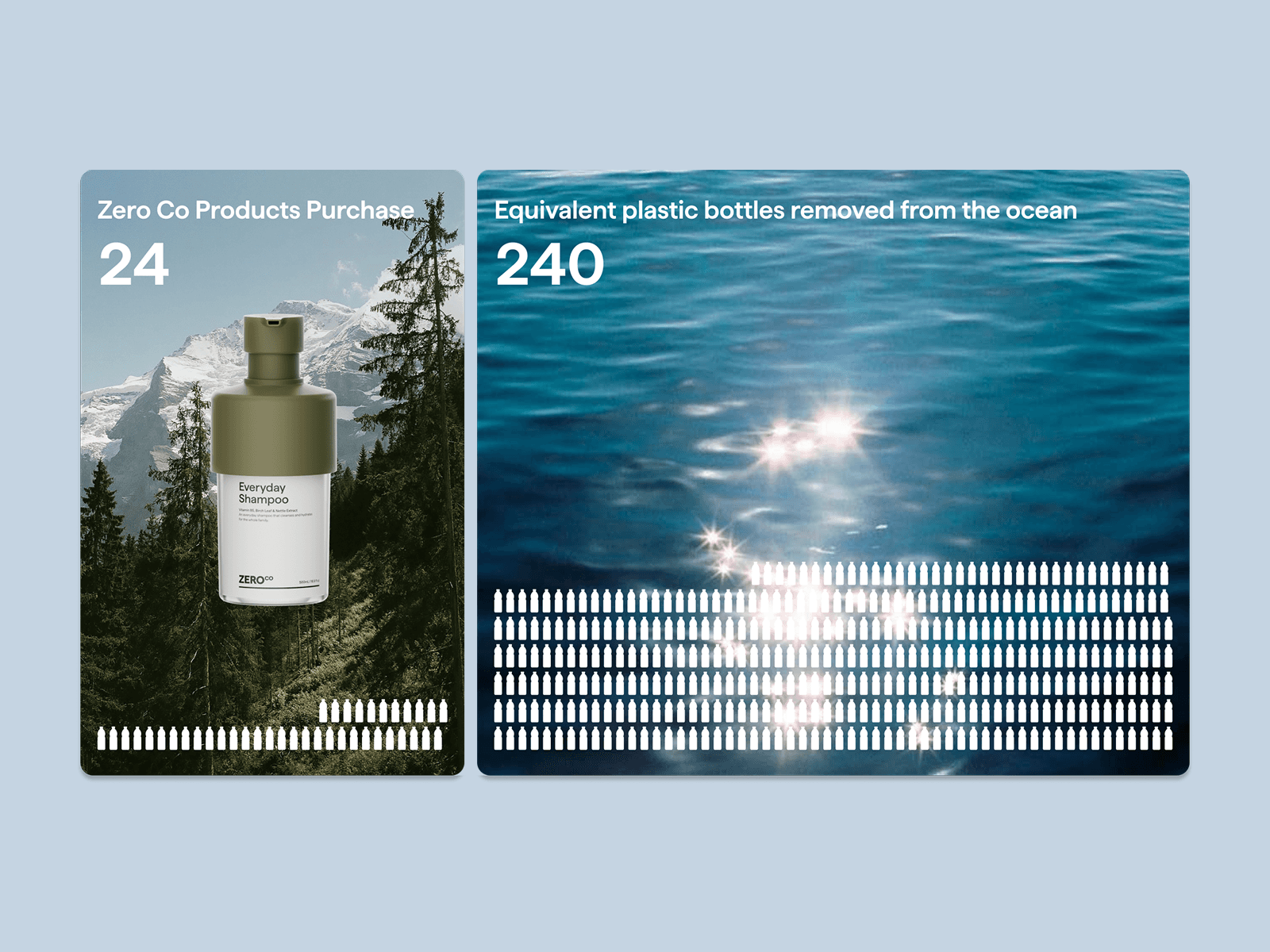
Product and personal impact side by side
Live counts with milestones to motivate
Tap to see the method and share
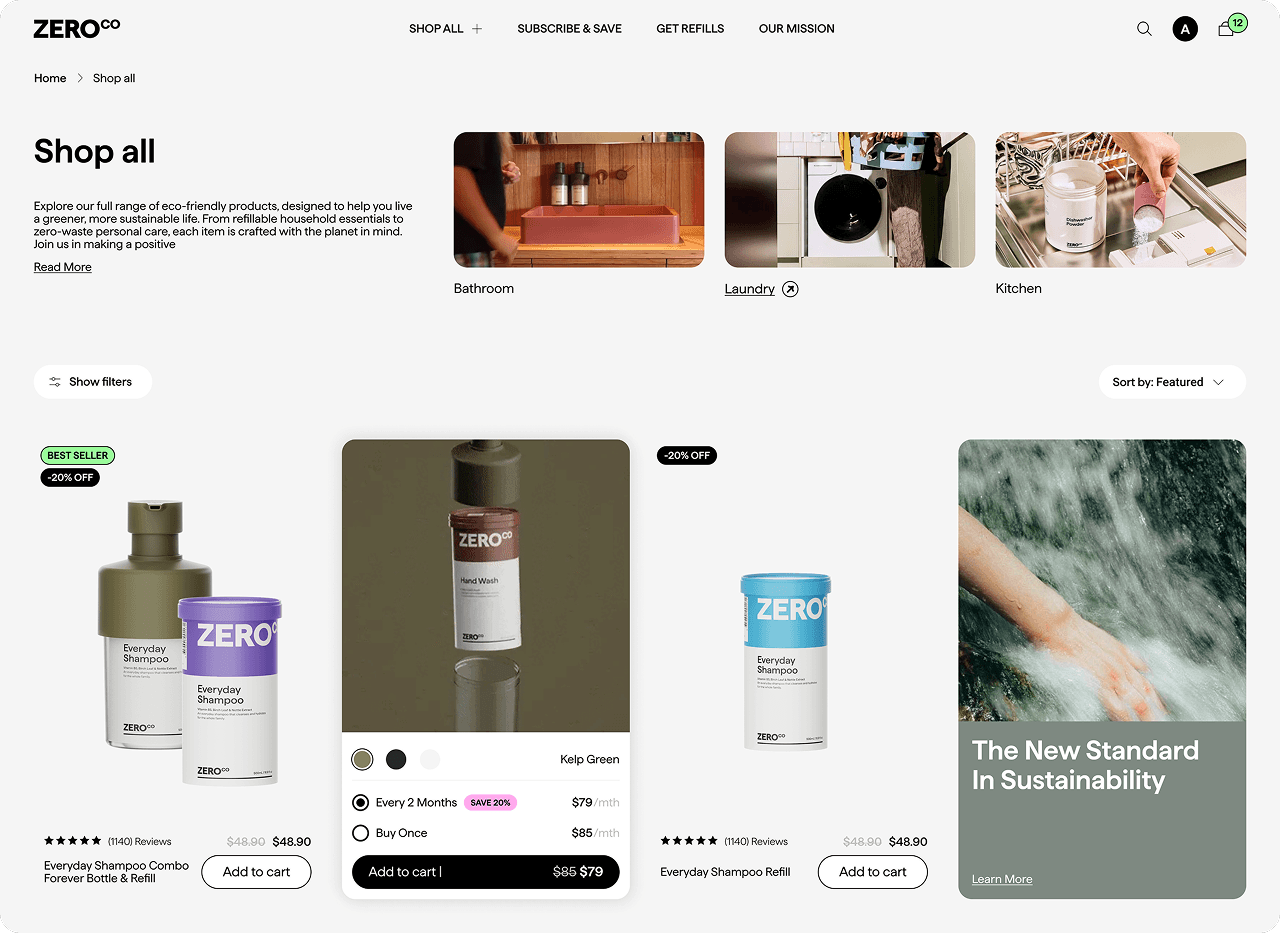
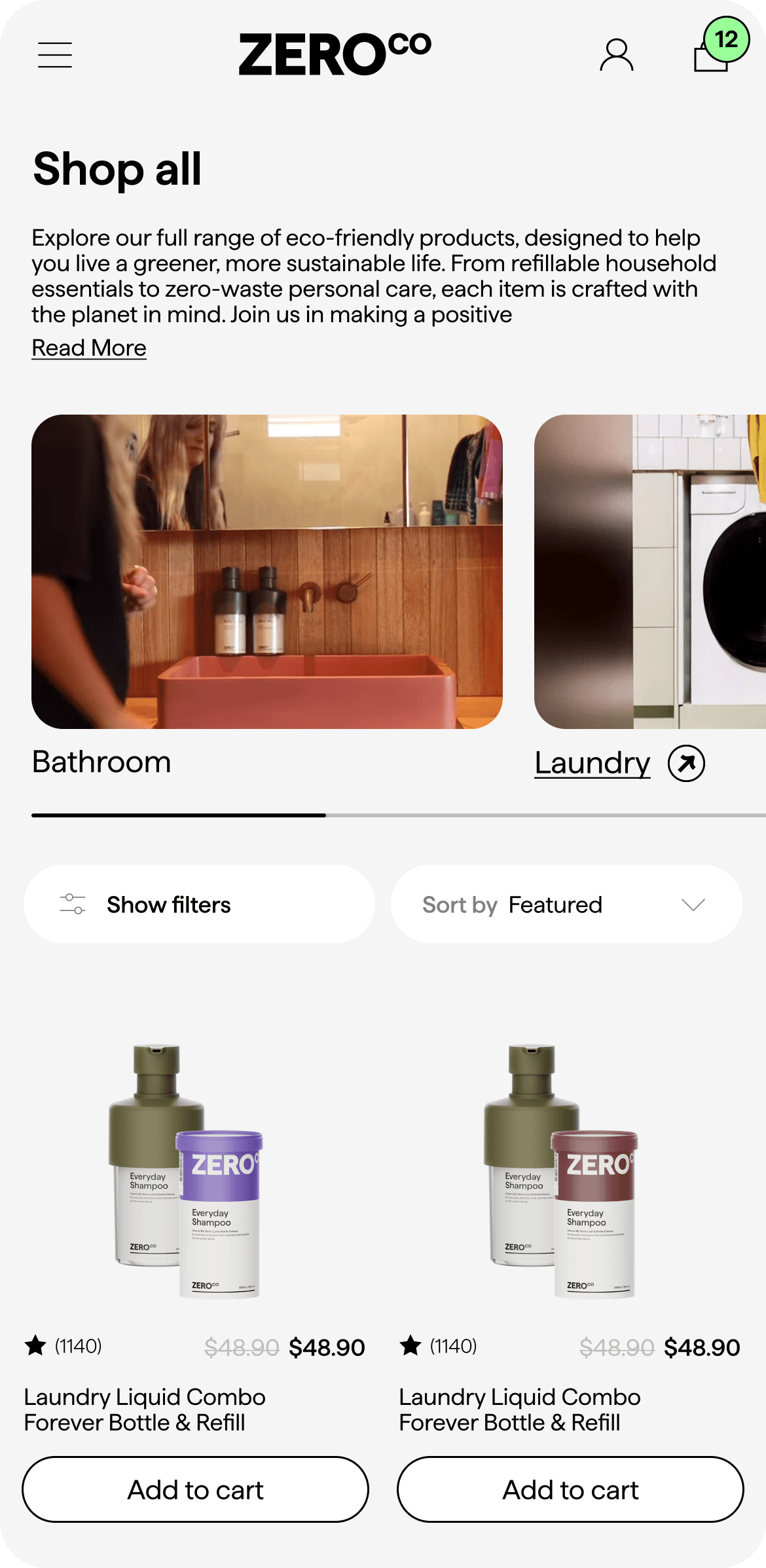
The existing PLP had no entry hierarchy — every product competed equally for attention. We added room-based category tiles at the top so users could self-select into a context before browsing. On the product cards, we surfaced subscription savings, ratings, and quick-add inline — because users were making comparison decisions on the list view, not just on the PDP.
Category rail and intro set context with quick entry to Bathroom, Laundry, and Kitchen.
Filters and sort keep results focused with active chips and a clear results count.
Product cards show refill versus buy once, subscription savings, ratings, and quick add.
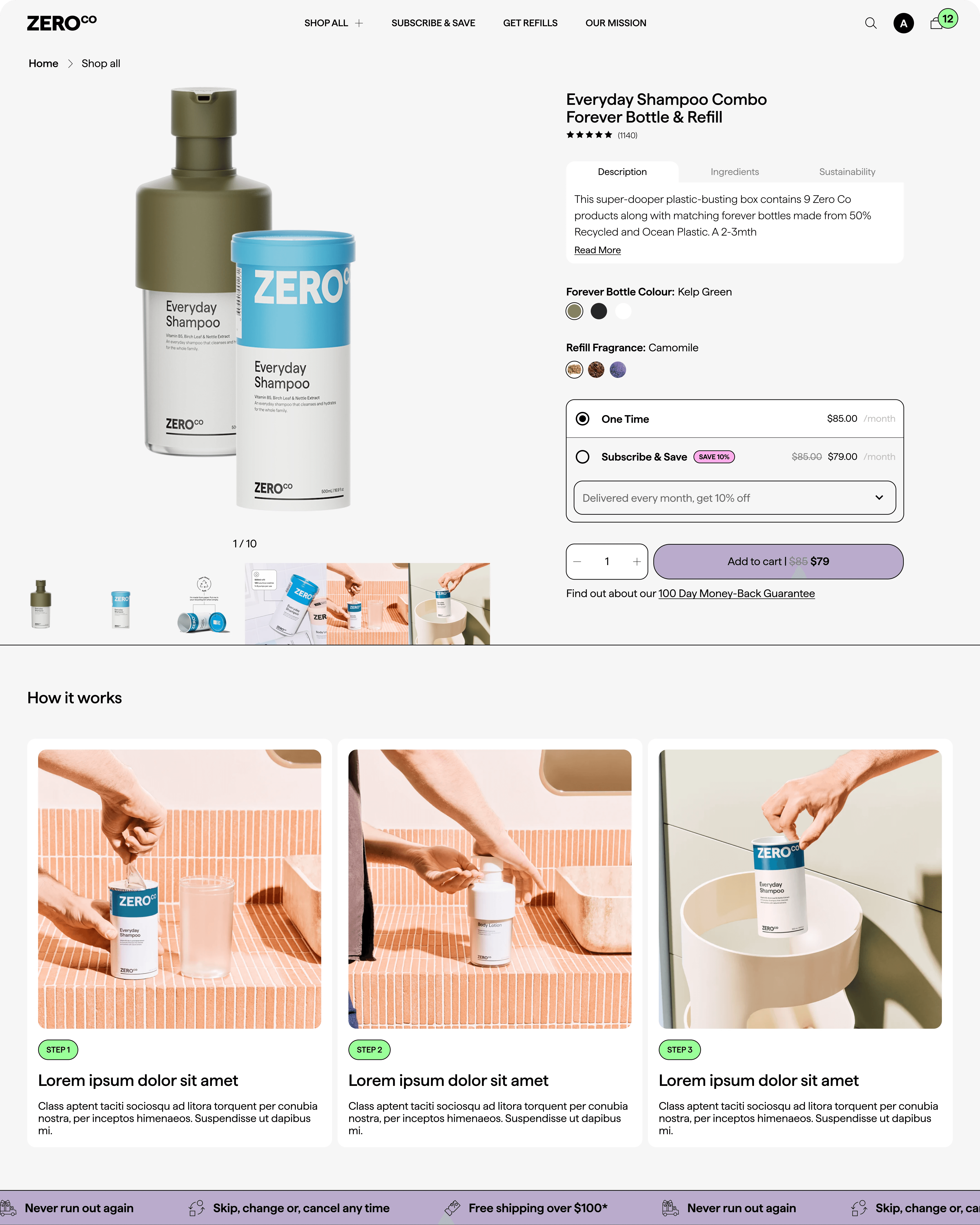
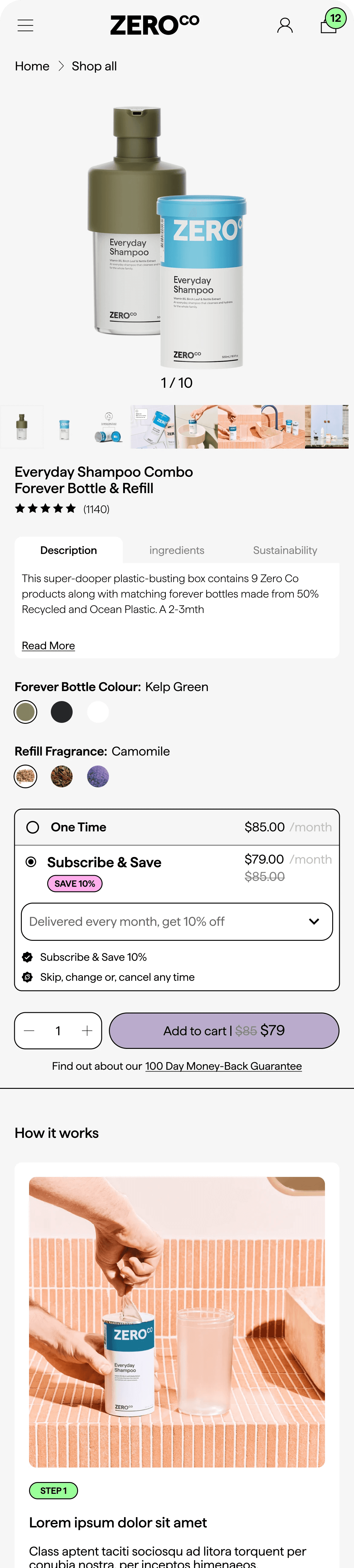
The subscribe vs buy-once choice was the most important decision on the page — so we anchored it above the fold, with savings shown inline and the delivery frequency visible immediately. The guarantee link sits directly below the CTA, not buried in the footer, because trust signals are most effective at the moment of hesitation, not before it.
Gallery‑first layout with large hero image, thumbnail strip, and image count for quick scanning.
Options grouped by task: bottle colour and refill fragrance with clear swatches, plus tabs for Description, Ingredients, and Sustainability.
Simple purchase module: one time or subscribe and save with savings badge, delivery frequency dropdown, clear pricing, quantity stepper, single Add to cart, and a link to the 100‑day money‑back guarantee.
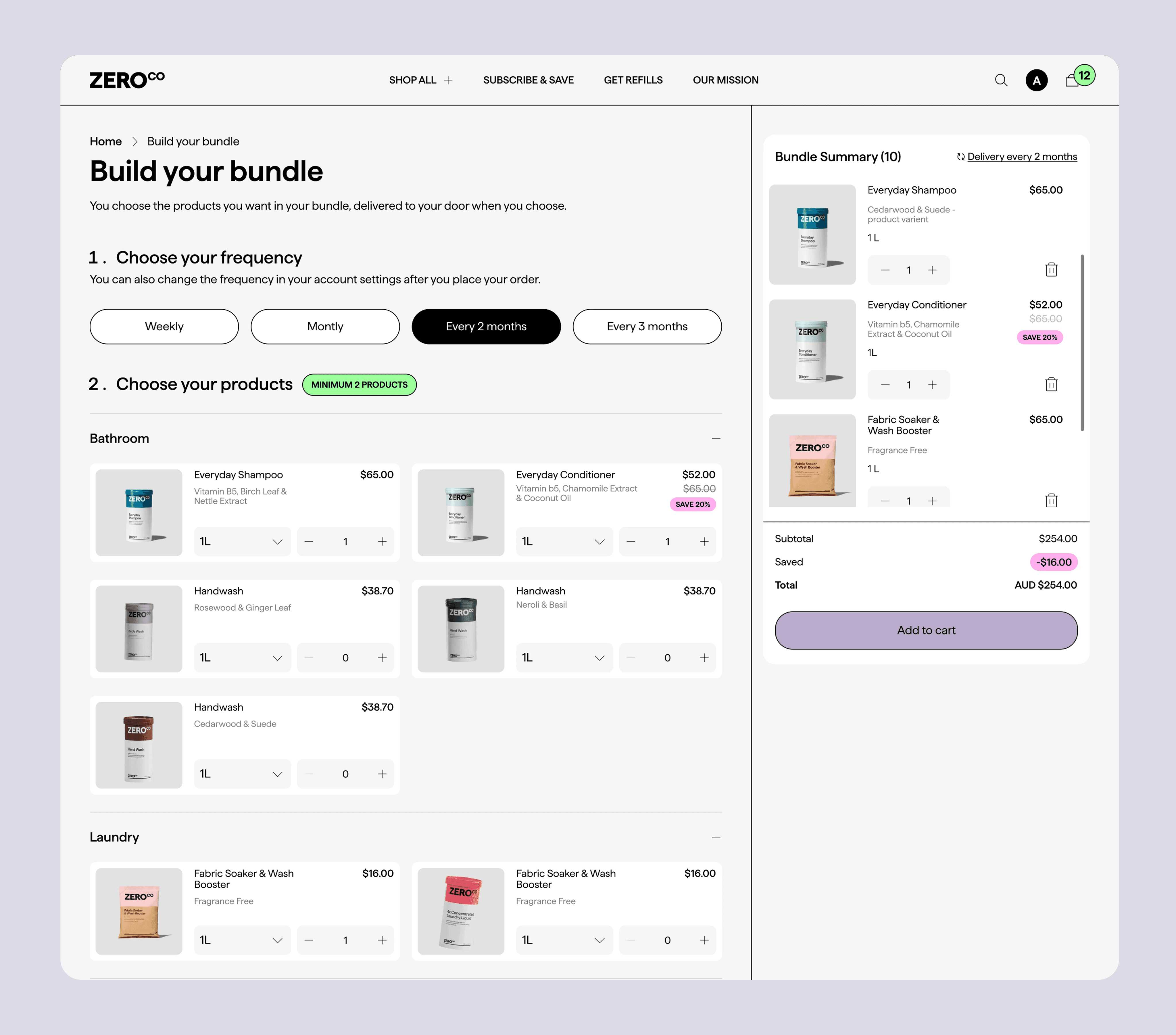
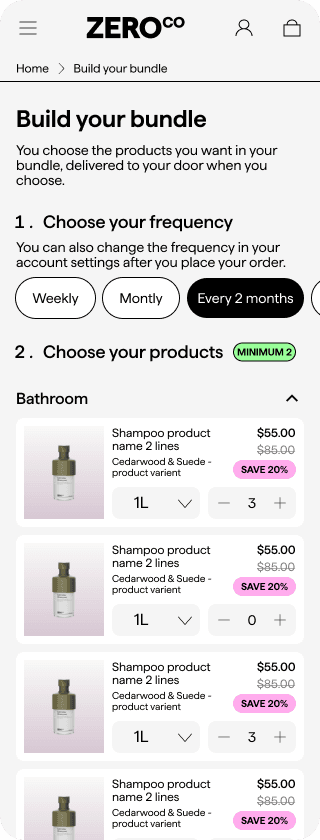
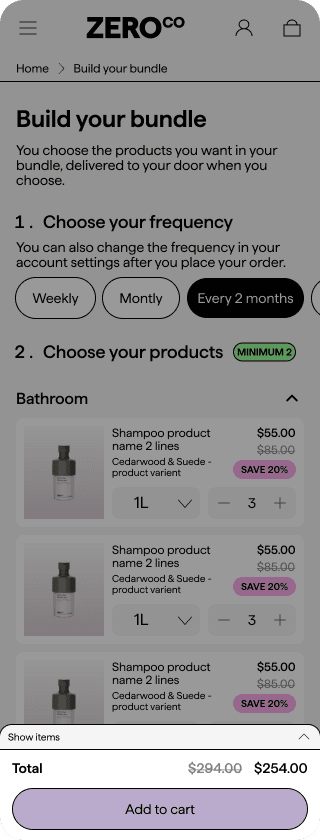
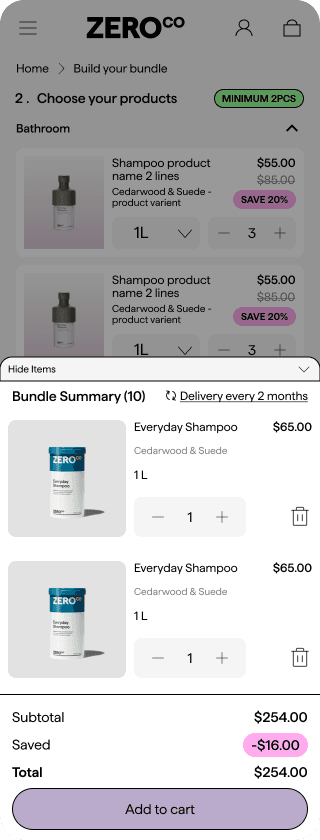
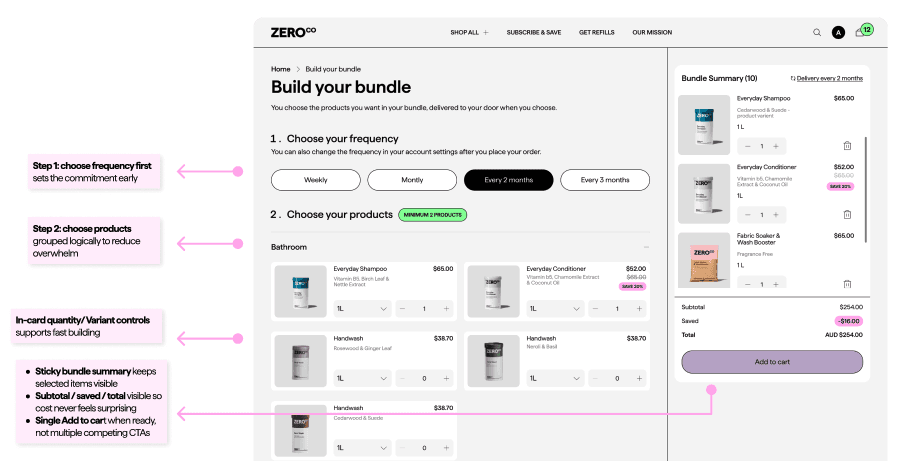
The old bundle builder asked users to choose products before committing to a delivery frequency — which meant users were building a cart without understanding what they were signing up for. We flipped the order: frequency first, then products. A sticky summary panel on desktop (and a collapsible tab on mobile) kept the running total and savings visible throughout, so users never felt surprised at checkout.
Two‑step flow: choose delivery frequency, then pick products with a clear minimum products chip.
Card grid by room with variant dropdowns and quantity steppers on each product for quick adds.
Sticky Bundle Summary shows items, cadence, subtotal, savings, and a single Add to cart with inline edit and remove.
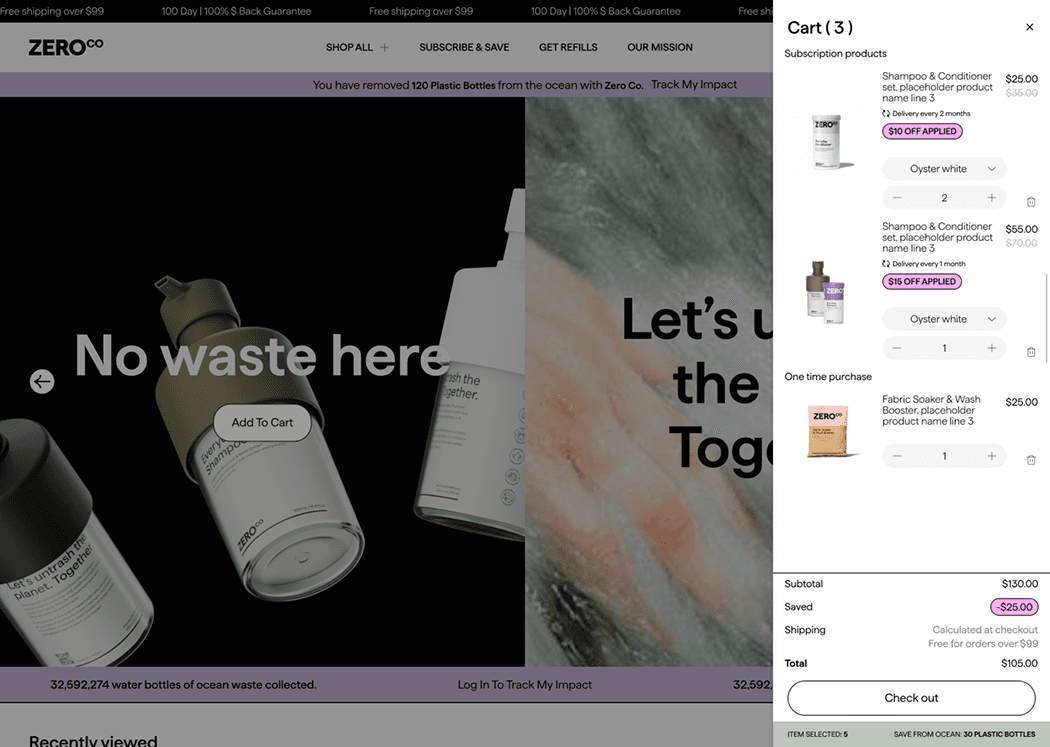
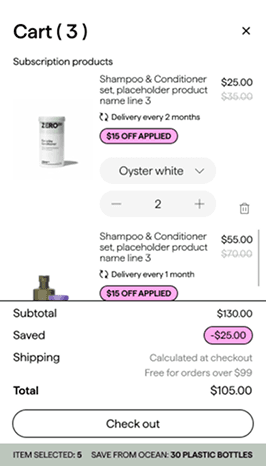
Subscription products & One-time purchase products in cart
Post-add is where people second-guess, so we made the cart feel editable and predictable — inline variant and quantity controls, clear subscription vs one-time labels, visible delivery timing, and surfaced shipping thresholds upfront. Surprise costs at checkout are a classic drop-off trigger.
Inline edits: Variant dropdown + quantity stepper support error recovery without leaving cart
Delivery cadence clarity: Delivery cadence is visible per subscription item, preventing last-step surprises
Saved/discount line: reinforces value and reduces second thoughts
Remove icon: Reduces commitment anxiety
Checkout CTA + clear totals make the next step unambiguous
Shipping Clarity: Shipping expectations are set early (free over $99), reducing cost uncertainty
Saving highlighted: reinforce value right before checkout
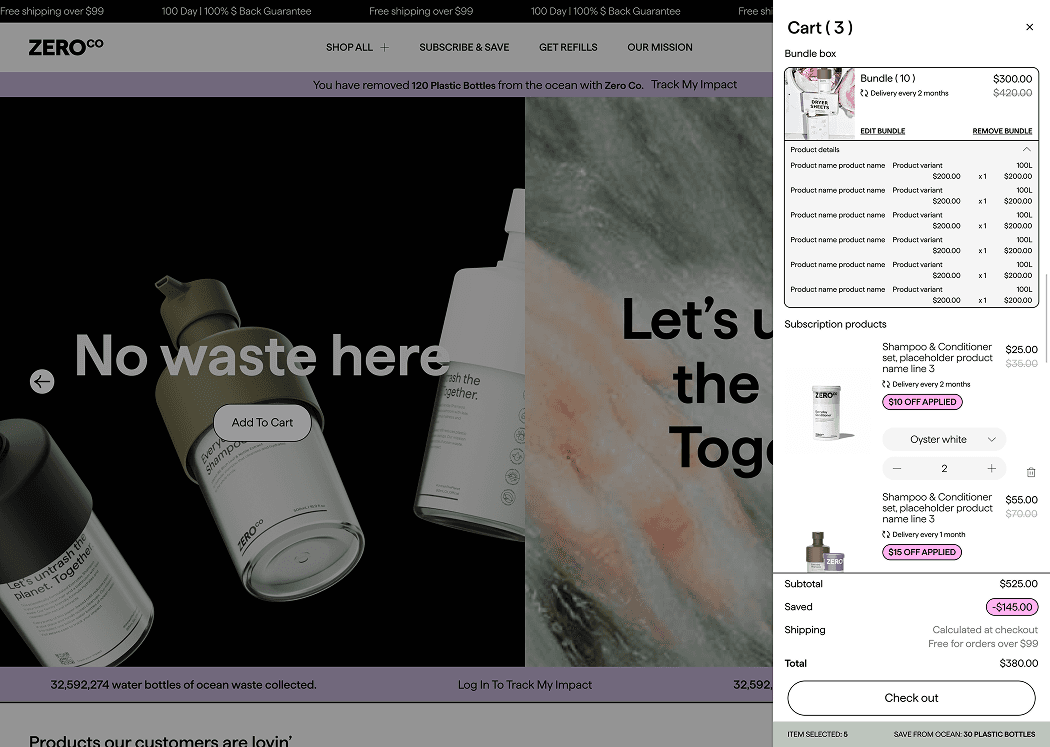
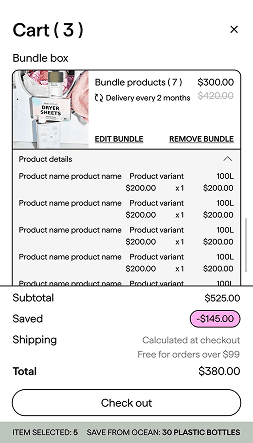
Subscription bundle products in cart
Edit bundle control: Edit bundle supports quick changes without rework, users can adjust selections in the builder and return to the cart with contents preserved
Bundle contents transparency: clear bundle summary builds trust by showing exactly what’s included.
Remove bundle: provides a clear escape hatch reduces “locked in” anxiety
Window: 4 weeks post vs 4 weeks pre | Source: Metrics were provided internally by MindArc’s marketing team, sourced from GA4 + Shopify Analytics (first month post-launch vs previous month)
+396 %
Add-to-cart actions
was achieved through a seamless and intuitive shopping experience.
124% increase in sessions driven by the new site design, attracting more visitors.
+472 %
User engagement
was achieved through users spent more time exploring rather than bouncing from confusion.
Driven by improved site navigation and a streamlined layout that enhanced the overall user experience.
+35 %
Total revenue
was driven by the subscription model and optimised product display
Resulting in higher average order value and improved customer retention.
133% increase in engaged sessions as improved user experience boosted interaction.
How we measured
Compared the first 4 weeks post-launch vs the prior 4 weeks using GA4 + Shopify Analytics. Sessions were treated as context due to campaign sensitivity, so add-to-cart was used as the closest proxy for improved shopping clarity at the decision point.
What drove the lift
Choice clarity at PDP: “Buy once vs Subscribe” made obvious at the commit moment
Control after add: inline cart edits and bundle transparency reduced drop-off
Lower mobile effort: sticky actions and clearer hierarchy reduced “lost progress” moments
What I'd validate next
Checkout start rate
Purchase conversion rate
Subscription attach rate,
with guardrails like refunds and support contact rate.